

Overview
Azure model router is an Azure OpenAI deployment family that automatically picks the best underlying model for a request. Bifrost’s native Azure provider supports model-router deployments for Chat Completions today. The Responses API is not yet exposed for model-router deployments through the native Azure provider. Until that lands, you can reach model-router’s Responses endpoint directly through your Azure AI Foundry project by configuring Azure Foundry as a custom provider, as described below.This page covers model-router specifically. For general endpoint setup, authentication, aliases, and deployment configuration on the native Azure provider, see the main Azure provider guide.
Supported operations
Adding Azure Foundry as a custom provider
Azure AI Foundry projects expose an OpenAI-Responses-API-shaped endpoint (*.ai.azure.com/api/projects/<project>/openai/v1/responses) that is distinct from the classic Azure OpenAI resource endpoint (*.openai.azure.com) used by the native Azure provider. You can reach it by creating a custom provider named e.g. azure-foundry with base_provider_type: "openai" and a full-URL request path override for the responses and responses_stream request types. A full URL in request_path_overrides bypasses base_url entirely, so requests go straight to your Azure AI Foundry project’s Responses endpoint.
- Web UI
- API
- config.json
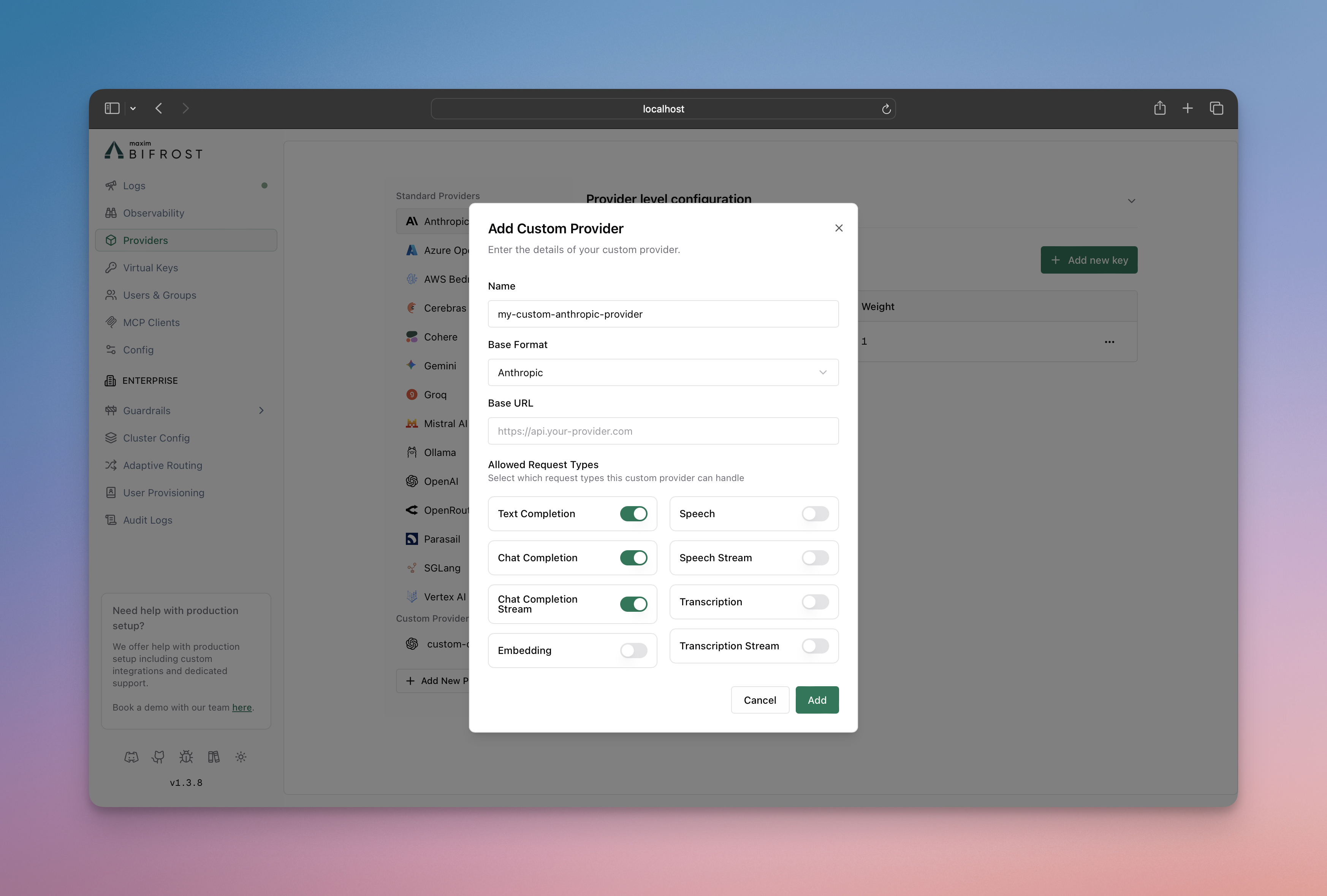
- Go to Providers in the sidebar and click Add New Provider.
- Name the provider
azure-foundry(or similar). - Set Base Format to OpenAI.
- Set Base URL to
https://<your-resource>.ai.azure.com/openai. - Under Allowed Request Types, toggle on Responses and Responses Stream.
- Click the settings icon next to each and enter the full Azure AI Foundry Responses URL in Custom Path or URL:
https://<your-resource>.ai.azure.com/api/projects/<your-project>/openai/v1/responses - Add your Azure API key and save.
If you also want Chat Completions routed through this same custom provider instead of the native Azure provider, enable
chat_completion / chat_completion_stream in allowed_requests and add matching entries in request_path_overrides. Otherwise, keep using the native Azure provider for Chat Completions and this custom provider only for Responses.Usage
Call the Responses endpoint using theazure-foundry custom provider and your model-router deployment name:
If you need to inspect provider-specific extra parameters, enable Send Back Raw Response. If you do not want those raw bytes persisted in logs, also set Store Raw Request/Response.
Limitations
- Chat Completions for model-router deployments works through the native Azure provider; no extra configuration is needed.
- Responses support for model-router requires the custom-provider workaround on this page until native support is added to the Azure provider.
- This page does not change Azure authentication or endpoint setup for the native Azure provider - see the Azure provider guide for that.