

Overview
Laya and Nimble are open decision models you run yourself. Both serve TypeSafe’s System One API (POST /v1/systemone), so you add each one as a custom provider on the Typesafe base format. They then work like any other decision model: on /v1/decisions, on /typesafe/v1/systemone, and as the Complexity Router classifier.
Laya
1. Run the server
0.0.0.0:8000 and loads all three checkpoints at startup. Useful settings:
2. Add the provider
- Web UI
- config.json
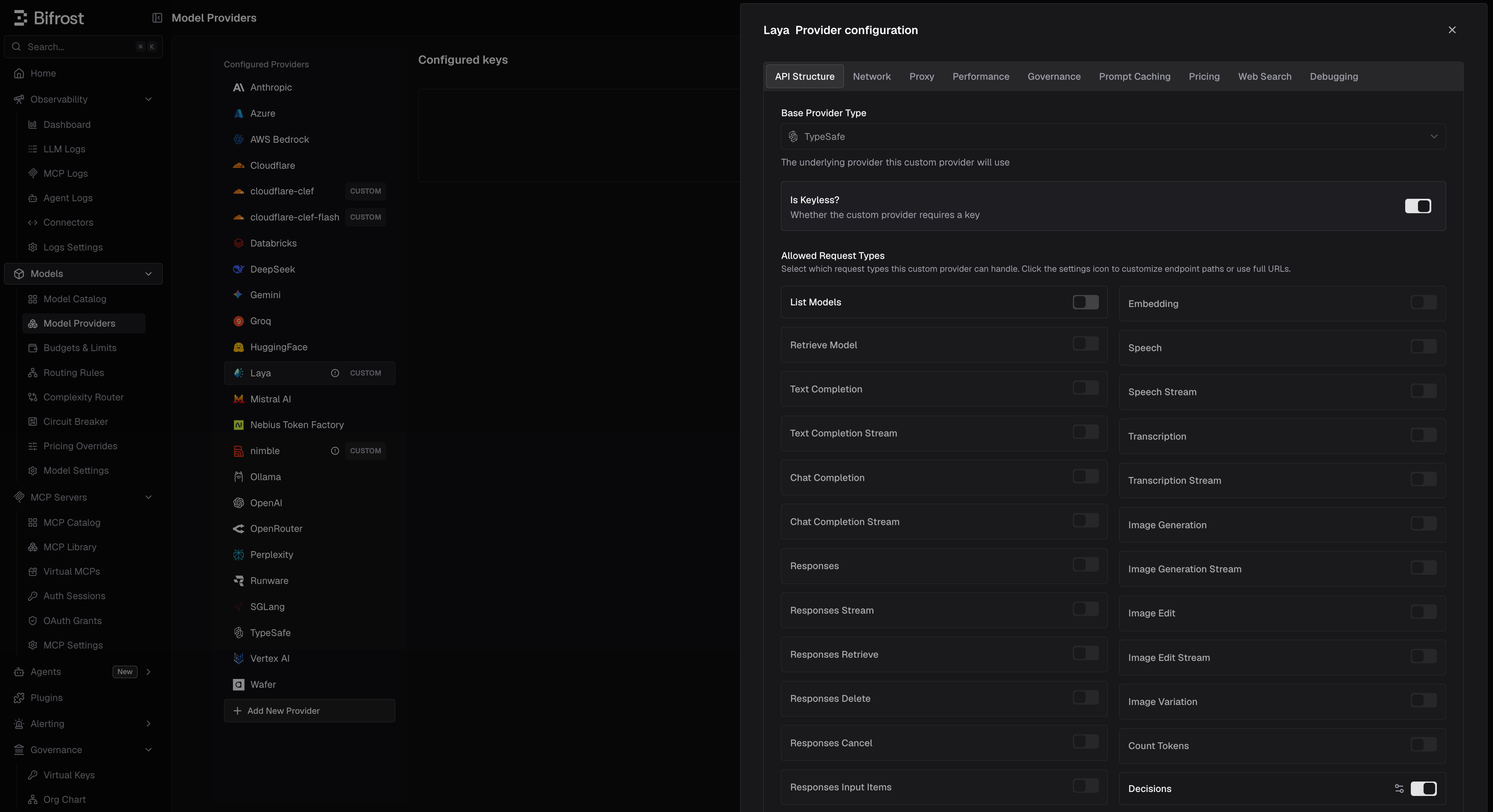
- Navigate to Models > Model Providers and click Add New Provider.
- In Add Custom Provider, set Name (for example
laya) and Base Format to Typesafe. - Set Base URL to your server, for example
http://localhost:8000. - Under Allowed Request Types, turn on Decisions and turn List Models off.
- If
LAYA_API_KEYis set, add a key with that value. Otherwise, turn on Is Keyless?. - In the key’s Allowed Models, type the checkpoints you use:
english,multilingual,typed-decisions. - Save.
3. Send a decision
- Choosing a checkpoint.
englishreads 512 tokens,multilingual1,024, andtyped-decisions1,024; longer input is truncated (seeusage.truncated). Any other name without a slash, such asauto, lets Laya’s router pick by language. A name with a slash is a422. - Laya-only fields (
min_confidence,lang,max_len,task) need thex-bf-passthrough-extra-params: trueheader on/v1/decisions. On/typesafe/v1/systemonethey pass through without it. - Extra response fields such as
answer_confidence,abstention, androutingare listed under Provider-Specific Fields. A server started withLAYA_JEV_STRICT=1leaves them out. - Images are rejected with a
400before the call, so a fallback can serve the request.
Nimble
1. Run the server
Nimble is served by an SGLang deployment on Modal. Follow Nimble’s serving guide to deploy your own, or try the public demo athttps://bespokelabs--nimble-sglang-nimble.us-west.modal.direct, which needs no key.
2. Add the provider
- Web UI
- config.json
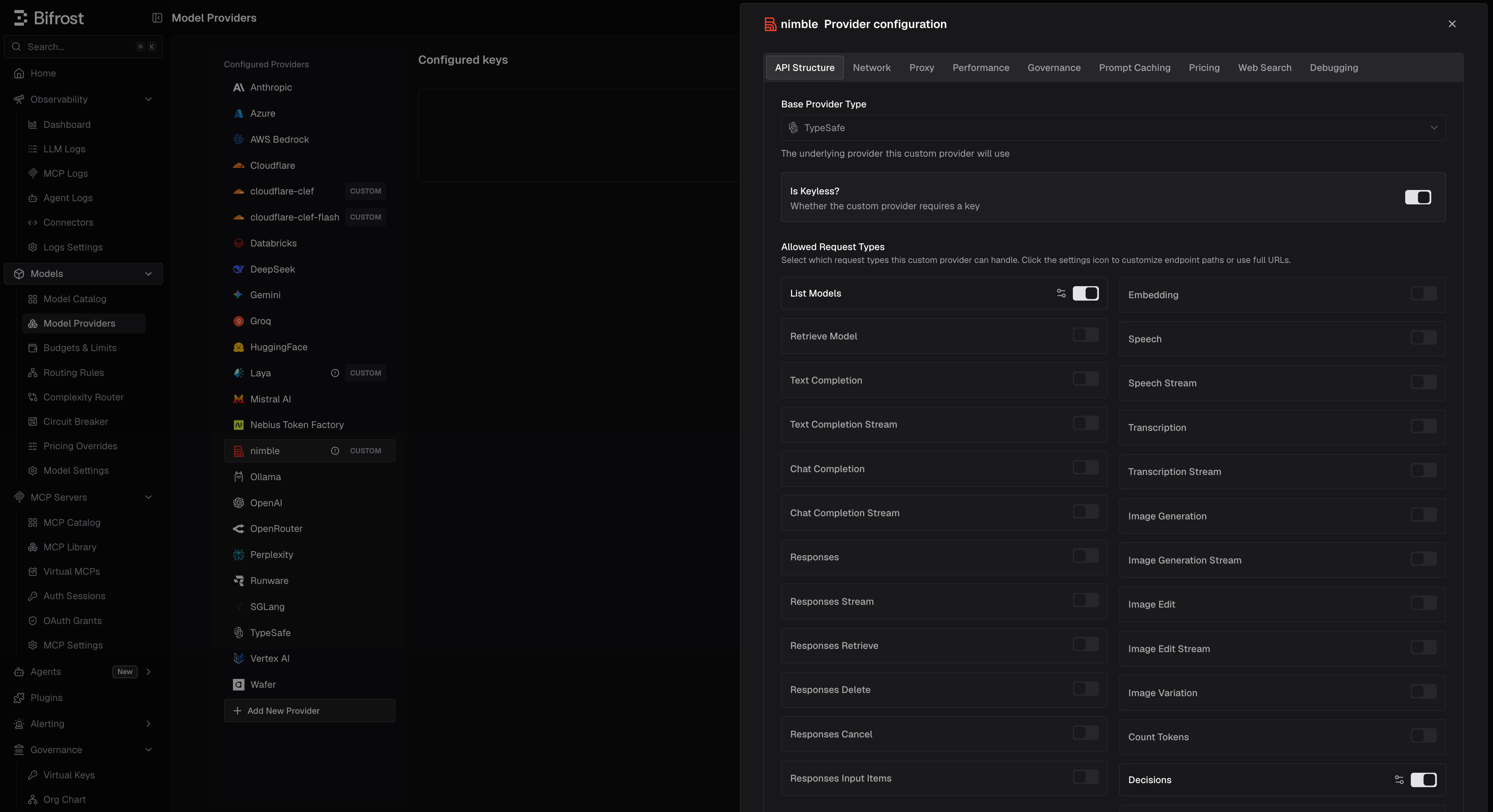
- Navigate to Models > Model Providers and click Add New Provider.
- In Add Custom Provider, set Name (for example
nimble) and Base Format to Typesafe. - Set Base URL to your deployment’s URL.
- Under Allowed Request Types, turn on Decisions and List Models.
- Turn on Is Keyless?. For a private deployment, send its auth headers through Network > Extra Headers instead.
- Save.
3. Send a decision
- Limits. Choice and score questions take 2-26 options, a request takes at most 64 questions, and each question’s prompt must fit in 8,192 tokens. Oversized prompts are rejected, not truncated.
- Question names matter. Nimble keeps names and option keys in its prompt, so renaming a question can change its answer.
- Cold starts. A Modal deployment scales to zero after 2 idle minutes and takes a few minutes to wake, returning
503meanwhile. Under load it can return529; retry. - Images are rejected with a
400before the call.
Pricing
A custom provider has no price in Bifrost’s model catalog, so its decisions cost$0 until you add a pricing override:
- Scope: the provider (optionally one key)
- Match: Exact on a model name such as
english, or Wildcard for several - Request types:
decisions - Rates:
input_cost_per_token_decisionsandoutput_cost_per_token_decisions, in USD per token. For $0.50 per million input tokens, set0.0000005.
Using them in the Complexity Router
Pick the custom provider as the decision model in Complexity Router. Nimble’s models come from its listing. For Laya, which lists none, the UI offers the known checkpoints, starting onenglish when the provider is named after Laya.
- Keep guidance short on Laya. All tier guidance is sent on every request, and
englishreads only 512 tokens.multilingualreads 1,024. - Keep the model loaded. A request that waits for a model to load goes unclassified once it passes
decision.timeout(1.5sby default). For Laya, keepLAYA_PRELOAD=1with every checkpoint you use, or raiseLAYA_MAX_LOADED. For Nimble on Modal, keep the deployment warm, since waking takes minutes.
Troubleshooting
Next Steps
- Decisions - Request and response format
- TypeSafe - How System One requests are converted
- Complexity Router - Route requests by complexity with a decision model
- Custom Pricing - Price self-hosted models