

Overview
Cloudflare Workers AI is a built-in Bifrost provider (cloudflare). Use it for:
- Chat and Responses with Workers AI text models, streaming included
- Embeddings, including as the embedding provider for semantic caching
- Decisions with Cloudflare’s Clef models (
clef,clef-flash,clef-omni), including image inputs
Supported Operations
Not supported yet: Workers AI hosts image generation, text-to-speech, speech recognition, and reranking models, but Bifrost does not route these operations to Cloudflare yet. Until it does, they return
UnsupportedOperationError, like the other operations marked ❌ (Text Completions, Video, Files, Batch, Containers, OCR, Count Tokens, and Passthrough).Setup & Configuration
You need a Cloudflare API token with Workers AI permission and your Cloudflare account ID. Each request goes to the account of the key that serves it.- Web UI
- config.json
- API
- Go SDK
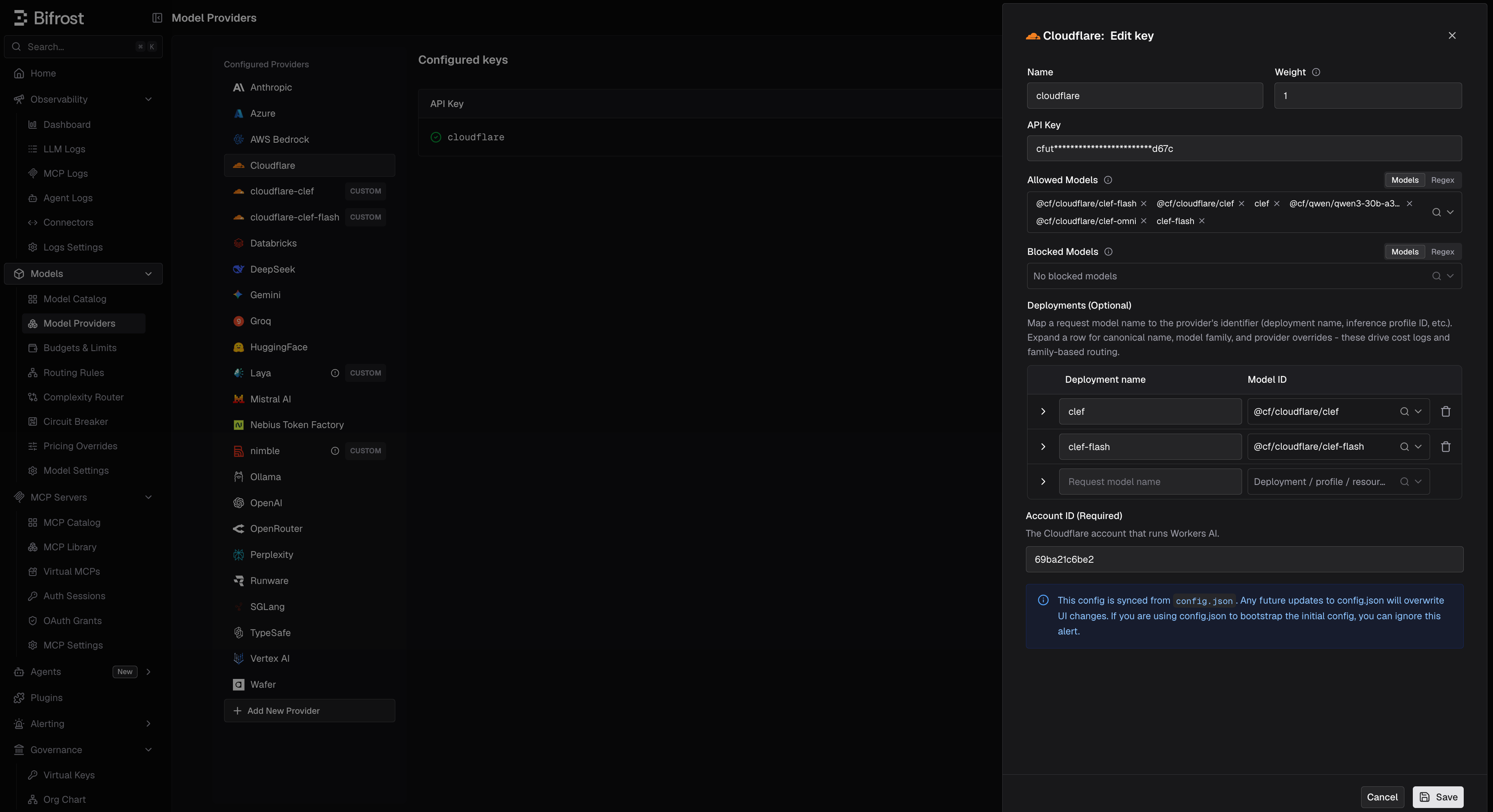
- Navigate to Models > Model Providers. Click Add New Provider and select Cloudflare.
- Click Add Key.
- Set a name for the key.
- Paste your API token, or use an environment variable such as
env.CLOUDFLARE_API_TOKEN. - Set Account ID (Required), for example
env.CLOUDFLARE_ACCOUNT_ID. - Set Allowed Models to All Models (default) or a specific allowlist.
- Save the provider configuration.
no account ID configured: set cloudflare_key_config.account_id on the key.
Migrating a custom cloudflare provider
If you added Workers AI earlier as a custom provider named cloudflare, that name is now reserved: the custom provider can no longer be saved, and its config.json entry is skipped.
Open it in Model Providers and the UI offers to migrate it to the built-in provider, as long as its base URL is a Workers AI URL (https://api.cloudflare.com/client/v4/accounts/<ACCOUNT_ID>/ai, with or without /v1):
- Review the preview. The account ID is read from the base URL, and the token from the
Authorizationheader if the old provider was keyless. Fill in either by hand if it could not be read. - Re-enter any secret stored as a masked literal;
env.references carry over. - Confirm. Keys, virtual key grants, budgets, and rate limits keep working. Request path overrides and allowed-request restrictions are not carried over.
cloudflare-custom.
1. Chat Completions
Cloudflare uses the OpenAI-compatible chat format. See OpenAI Chat Completions for the parameter reference. Models use Cloudflare’s full IDs:"stream": true.
2. Responses API
Responses requests are converted to Chat Completions and back, for both non-streaming and streaming calls:3. Embeddings
4. Decisions
Clef models answer/v1/decisions:
cloudflare/@cf/cloudflare/clef-flash; it is the same model. Clef uses TypeSafe’s System One format, so questions are converted as on TypeSafe. Differences from TypeSafe:
- Images are supported.
input_imageparts are moved into Clef’simagesfield. Send them as base64 data URLs. - Validation is strict. Clef returns a
422for anullinput or for any field it does not define, so do not pass extra params to it.
@cf/cloudflare/clef-flash.
5. List Models
The model list comes from each key’s Workers AI account. It includes text generation and embedding models, plus the Clef models, under Cloudflare’s IDs: for examplecloudflare/@cf/meta/llama-4-scout-17b-16e-instruct and cloudflare/@cf/cloudflare/clef-flash. Models for operations Bifrost does not support yet (image, speech) are left out.
To list only the decision models, call GET /api/models?provider=cloudflare&decisions=true.
Caveats
Errors come from Cloudflare's envelope
Errors come from Cloudflare's envelope
Cloudflare wraps every failure in
{"success": false, "errors": [...]}. Bifrost keeps Cloudflare’s status and joins the messages with ; , for example AiError: No such model: ...; Expected array, received string.Self-hosted Clef
Self-hosted Clef
To run Clef on your own hardware, pull it in Ollama.