

Overview
When you have multiple plugins - both built-in and custom - the order in which they execute matters. A logging plugin should capture the final request, an auth plugin should validate before anything else runs, and a response transformer should run after the provider returns data. Plugin sequencing lets you control where your custom plugins execute relative to Bifrost’s built-in plugins (telemetry, logging, governance, etc.) and in what order they execute relative to each other.How it works
Bifrost organizes plugins into three placement groups that execute in a fixed order:Post-hooks execute in reverse order of pre-hooks (LIFO pattern). This means a
pre_builtin plugin’s PreLLMHook runs first, but its PostLLMHook runs last - ensuring proper cleanup and state unwinding.Routing layer order (PreRequestHook)
PreRequestHook is the per-request routing phase. All routing-capable plugins fire here in registration order, and each one sees the routing decisions of those that ran before it. Built-in routing plugins are sequenced as follows within the builtin group:
The resolver runs last so CEL routing rules can match on
provider == "" (the unresolved state) and earlier plugins always get the canonical bare model. After PreRequestHook returns, the core validates that req.Provider is non-empty — an unresolvable request returns a 400 with a clear error.
Custom routing plugins can slot into this chain via placement + order like any other plugin. Place them in pre_builtin to override governance, or post_builtin to act as a custom fallback after all built-ins.
Ordering within a group
Within each placement group, plugins are sorted by theirorder value (lower executes earlier). Plugins with the same order preserve their registration order.
Example: Three custom plugins configured as:
Configuration
- Web UI
- API
- config.json
- Navigate to the Plugins page in the sidebar
-
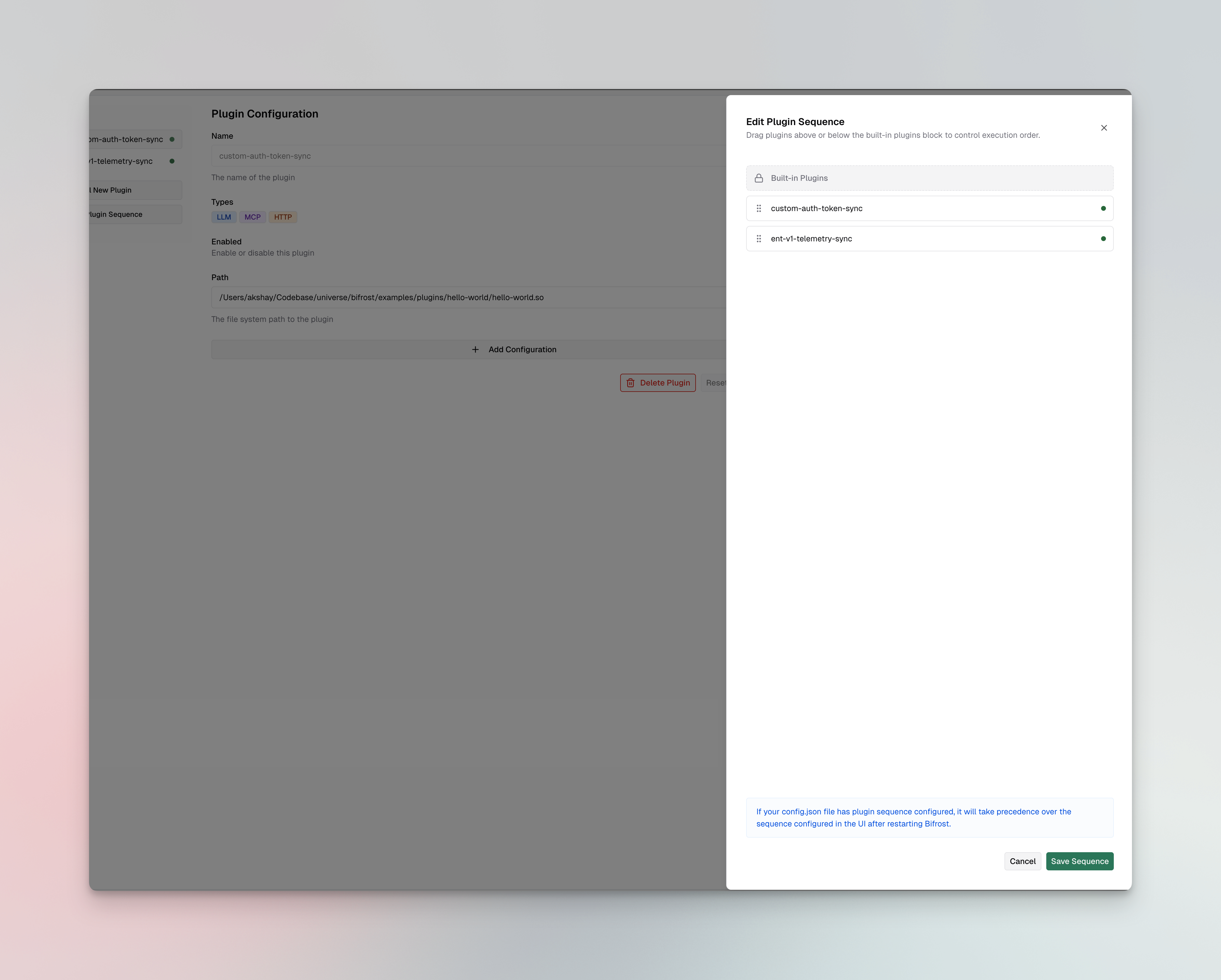
Click the Edit Plugin Sequence button (appears when you have at least one custom plugin installed)
-
Drag custom plugins above or below the Built-in Plugins block:
- Plugins above the block get
pre_builtinplacement - Plugins below the block get
post_builtinplacement
- Plugins above the block get
- The order within each group is determined by position (top = lowest order value)
- Click Save Sequence to apply the changes
If your
config.json file has plugin sequence configured, it will take precedence over the sequence configured in the UI after restarting Bifrost.When to use each placement
pre_builtin - run before built-in plugins
Use this when your plugin needs to:
- Validate or authenticate requests before any built-in processing
- Enrich requests with data that built-in plugins should see (e.g., injecting headers or metadata)
- Short-circuit requests before they reach governance checks or telemetry
post_builtin (default) - run after built-in plugins
Use this when your plugin needs to:
- Transform responses after all built-in processing is complete
- Log or analyze the final request/response (after governance, telemetry, etc.)
- Add custom headers or modify the response before it reaches the client
Next steps
- Writing a Go plugin - Build your first custom plugin with
PreRequestHook,PreLLMHook, andPostLLMHook - Writing a WASM plugin - Build a portable WASM plugin
- Plugin architecture - Deep dive into the plugin lifecycle and hook execution model