

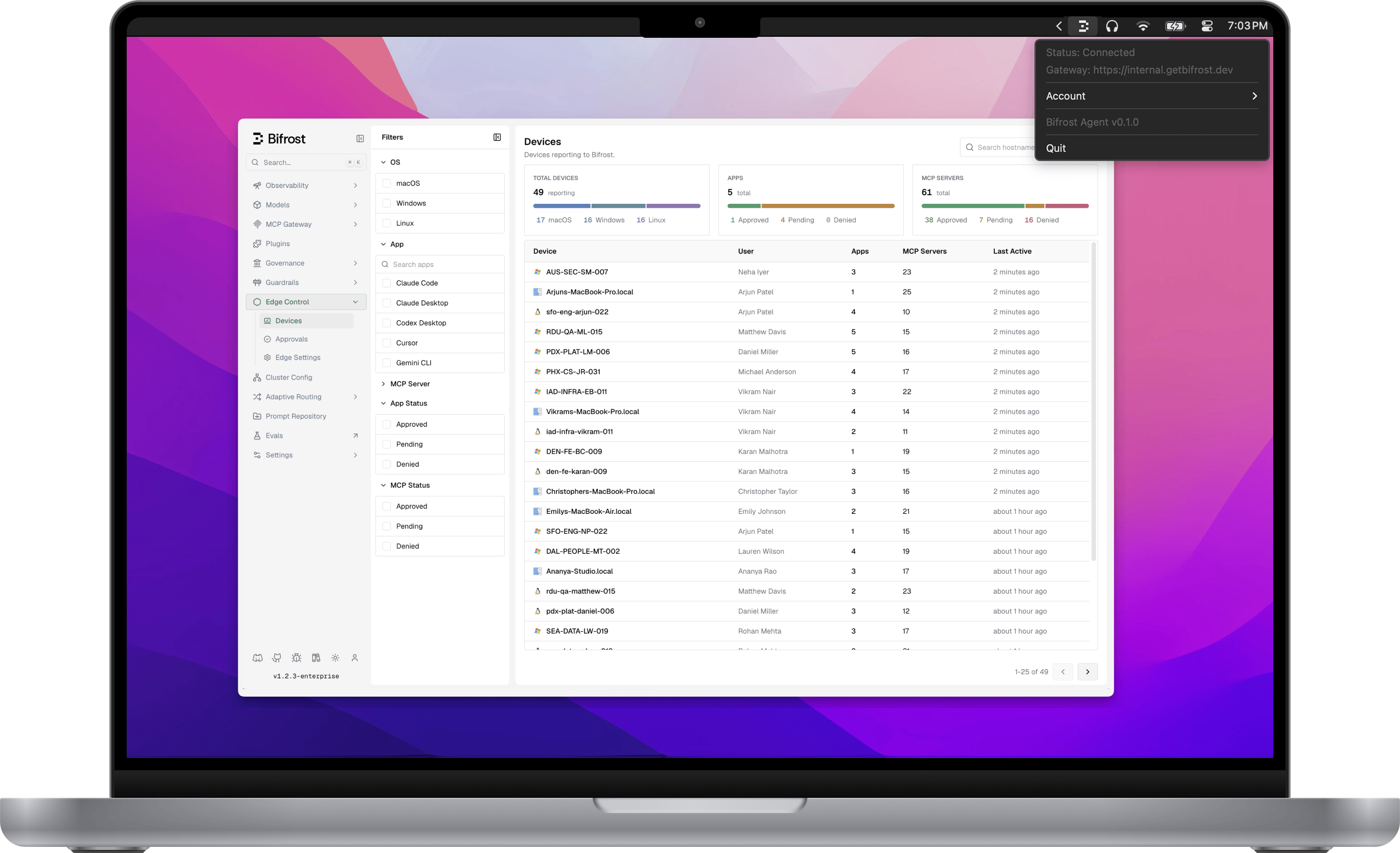
Bifrost Edge extends your AI gateway all the way to the endpoint. Instead of relying on every user to point their tools at Bifrost, Edge runs quietly on each machine and brings all AI traffic under governance automatically: desktop chat apps, AI in the browser, coding agents in the terminal and IDE, and the MCP servers those tools connect to. Your existing virtual keys, budgets, audit logs, and guardrails now apply to the AI people actually use, not just the traffic that happened to be configured.
Bifrost Edge runs natively on  macOS,
  Windows, and
  Linux.
macOS, Windows, and Linux.Why Edge
End shadow AI
Bring the AI tools users already use under governance, without asking anyone to reconfigure their apps.
Zero per-app setup
No base URLs to change, no SDKs to swap. Edge routes traffic transparently the moment it is installed.
Compliance everywhere
Every request inherits your audit logging, budgets, and guardrails - on the laptop, not just in the data center.
What you can do with Edge
How it works
The user experience: one browser sign-in, a menu-bar agent, and every AI request routed through Bifrost.
Govern AI apps
Decide which AI applications are allowed on company machines, and what happens when one is blocked.
Govern MCP servers
See every MCP server configured across your fleet and allow or deny each one, enforced on the device.
Security & guardrails
Your guardrails - PII, secrets, content safety, and more - apply to AI traffic from every app, out of the box.
Admin controls
Manage your fleet from one dashboard: devices, app and MCP approvals, and central configuration.
Deploy with MDM
Roll Edge out silently to every machine through Jamf, Intune, or Kandji with a managed configuration.
Supported applications
The full list of AI apps and surfaces Edge governs today, plus how to request a new one.
How it fits with Bifrost
Edge is the endpoint layer of the same platform that powers the Bifrost gateway and Bifrost Enterprise. The governance you already configure - virtual keys, budgets, rate limits, guardrails, and audit logs - is exactly what Edge enforces on each machine. There is nothing new to learn on the policy side: Edge simply extends the reach of the controls you already trust to the AI running on every desk.Next steps
- See the day-to-day experience in How it works.
- Apply your guardrails everywhere in Security & guardrails.
- Plan a rollout in Deploy with MDM.
- Check coverage in Supported applications.
- Want in? Use the alpha CTA at the top of this page.