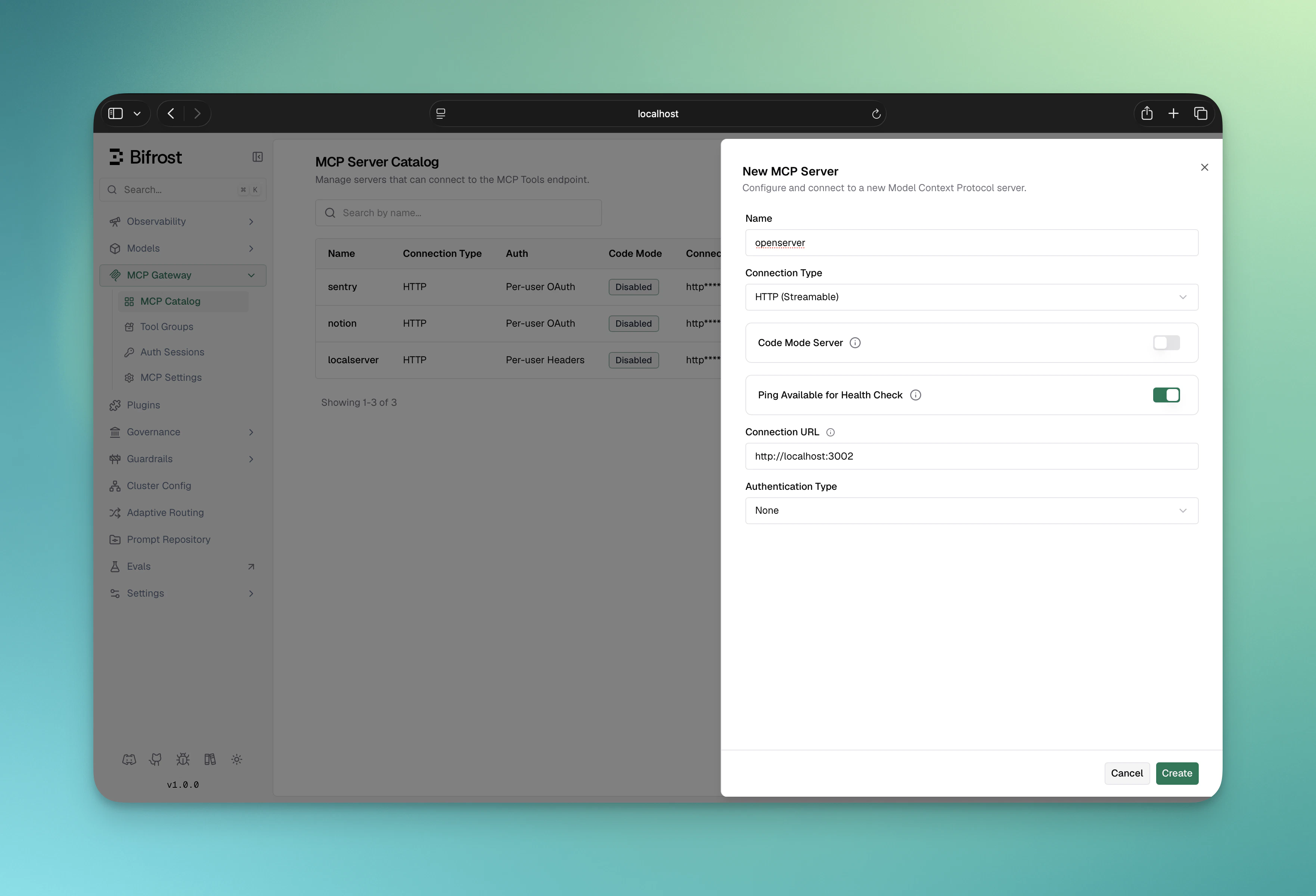
Overview
auth_type: "none" is the default. Use it for MCP servers that don’t require any upstream authentication — public MCP services, local STDIO tools, internal services already protected at the network layer, etc.
This is also the only valid auth_type for STDIO connections; STDIO subprocesses inherit their environment from the spawning process and there is no per-call header to attach.
When to use
- Public MCP servers with no auth
- Local STDIO tools (
@anthropic/mcp-filesystem, etc.)
- Internal services already gated at the network or VPN layer
- Anything you’d hit with
curl and no extra headers
If the upstream eventually adds a key, switch to Headers and refill the headers map. Note: connection_type and auth_type are immutable after creation — to change either, delete the MCP client and re-create it.
Configuration
- Navigate to MCP Gateway in the sidebar
- Click New MCP Server
- Pick a Connection Type (STDIO, HTTP, or SSE) and fill in the connection target
- Leave Auth Type on None (the default)
- Optionally configure
tools_to_execute / tools_to_auto_execute
- Click Create
STDIO example
STDIO connections must use auth_type: "none":
- New MCP Server → Connection Type: STDIO
- Fill in Command, Args (comma-separated), and Envs (env-var names to pass through)
- Auth Type stays on None
- Click Create
auth_type: "none" for a STDIO client is about the upstream connection, not Bifrost’s own admin
API - creating one still requires an authenticated admin session; see the note in
Connecting to Servers.Docker users: STDIO connections won’t work if the spawned command (e.g., npx, python) isn’t installed in the container. For STDIO-based MCP servers, build a custom Docker image that includes the dependencies, or host the server separately and connect via HTTP/SSE.
Next Steps