

Overview
auth_type: "headers" attaches a fixed set of HTTP headers to every request Bifrost makes to the upstream MCP server. Use it for shared API keys, bearer tokens, or any other static authentication scheme.
The same headers are used regardless of which caller (which VK, which user, which session) is hitting Bifrost — this is server-level auth. If you need each end-user to supply their own credentials, use Per-User Headers instead.
This auth type is only valid for HTTP and SSE connections.
When to use
- Shared API key the whole team uses
- Internal MCP servers with a single bearer token
- Custom header-based schemes (
X-Tenant-ID,X-Region, etc.) - Anything where you’d add headers to a
curlcommand
Configuration
Header values support environment-variable references — useenv.MY_VAR (or the UI’s env-var picker) to keep secrets out of the config file. Values are encrypted at rest when BIFROST_ENCRYPTION_KEY is set.
- Web UI
- API
- config.json
- Navigate to MCP Gateway in the sidebar
- Click New MCP Server
- Pick HTTP or SSE as the connection type, fill in the Connection URL
- Set Auth Type to Headers
- Add one row per header in the Headers table:
- Header name (e.g.,
Authorization,X-API-Key) - Value — either a literal string or an environment-variable reference
- Header name (e.g.,
- Configure tool execution as needed
- Click Create
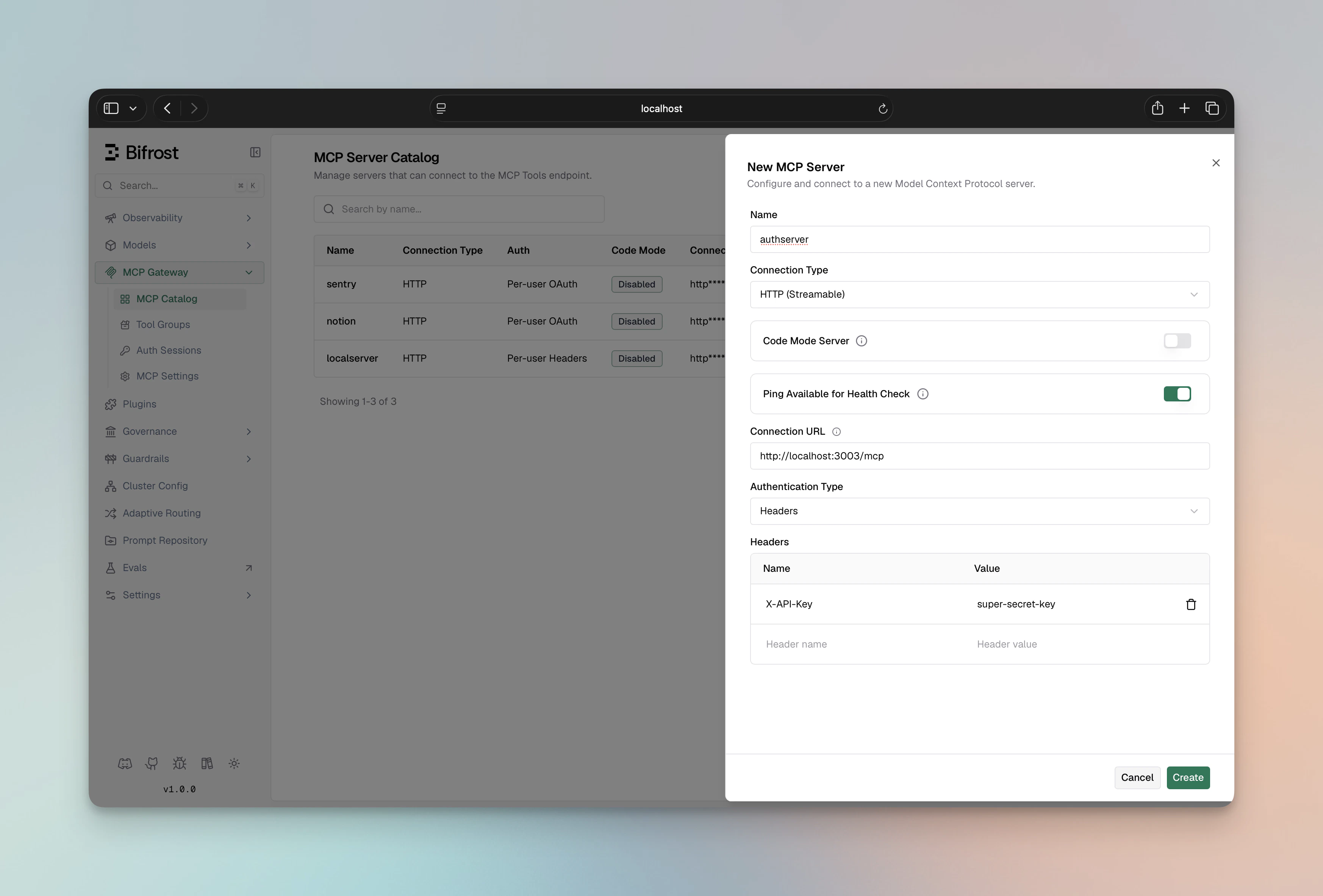
Header lifecycle
- At connect time, Bifrost opens a persistent transport with these headers attached. The same transport is reused for every tool call.
Authorizationis treated specially — even if you set it viaheaders, the credential-store layer overrides it with the OAuth bearer forauth_type=oauthclients. Forheadersclients there is no override, so the literal value goes through.- Editing headers on an existing MCP client triggers a connection reset so the new headers take effect immediately. The MCP client’s
connection_type,auth_type, andconnection_stringare immutable after creation.
Combining with per_user_headers
per_user_headers clients support a static admin headers section in addition to the per-user values. Use it for tenant headers or any constant that should accompany every per-user request. See Per-User Headers — Static admin headers.
Next Steps
- OAuth 2.0 — when the upstream provides OAuth and you want token refresh
- Per-User Headers — when each user has their own key
- Connecting to MCP Servers — connection-type details