

Capabilities
- Content Filters: Hate speech, insults, sexual content, violence, misconduct
- Denied Topics: Block specific topics or categories
- Word Filters: Custom profanity and sensitive word blocking
- PII Protection: Detect and redact 50+ PII entity types
- Contextual Grounding: Verify responses against source documents
- Prompt Attack Detection: Identify injection and jailbreak attempts
- Image Content Support: Analyze images in addition to text (PNG, JPEG)
Streaming output: When this profile is used in an
output or both rule, Bifrost accumulates the stream until the model response is complete, then checks the full response. It does not check individual stream chunks. See Streaming Output Guardrails for details.Configuration Fields
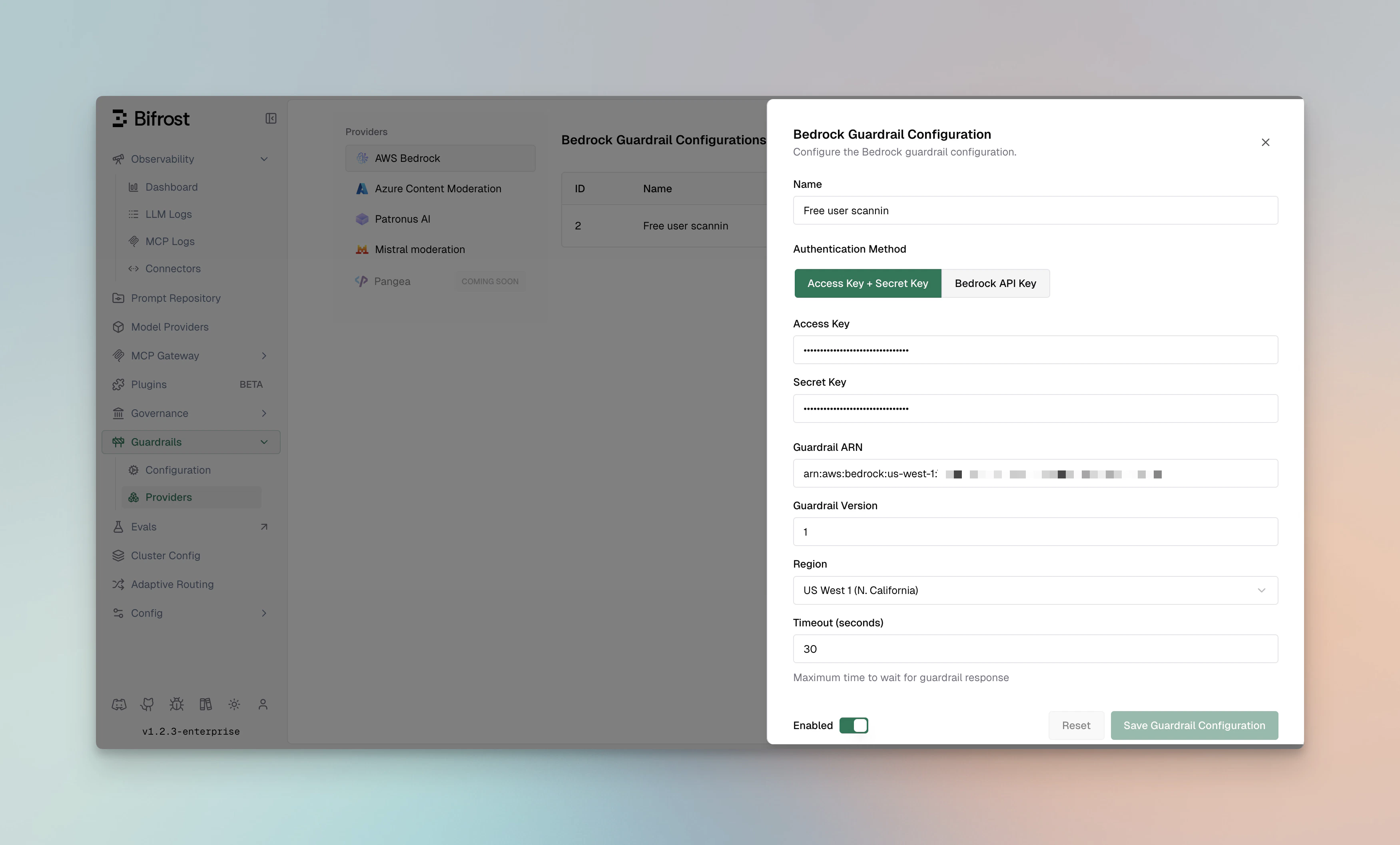
Authentication
Choose one of the following authentication modes.Static AWS credentials
Bedrock API key
IAM role or default credential chain
Setauth_type to iam_role. Bifrost uses the AWS SDK default credential chain (for example, IRSA, an EC2/ECS role, environment credentials, or a shared credentials file). Set role_arn to assume a different role when needed.
Supported AWS Regions
The following regions support Amazon Bedrock Guardrails. Availability of individual guardrail policies and safeguard tiers can vary by region; refer to the AWS documentation for the current service matrix.Supported Content Types
- Text content
- Images (PNG, JPEG formats)
images_enabled is enabled, Bifrost extracts supported image blocks from Chat and Responses traffic and sends them to Bedrock. File and PDF attachments are not sent.
Usage Metrics Returned
Bedrock guardrails return detailed usage metrics for cost tracking and monitoring:Supported PII Types
- Personal identifiers (SSN, passport, driver’s license)
- Financial information (credit cards, bank accounts)
- Contact information (email, phone, address)
- Medical information (health records, insurance)
- Device identifiers (IP addresses, MAC addresses)