

Overview
Bifrost Enterprise supports Check Point’s AI Agent Security as a third-party guardrail provider for screening LLM conversations. Check Point owns the project policy and detector decision. Bifrost owns when the policy runs and what happens next: it can block the interaction, record the detection without intervening, or redact supported matches before content continues through the gateway. Bifrost calls Check Point’sPOST /v2/guard endpoint with an OpenAI Chat Completions-style messages array. Chat Completions already use this shape; Bifrost normalizes Responses API and ordinary Anthropic Messages text into the same message format before screening.
Streaming output: For
output and both rules, Bifrost holds the response until the stream is complete, screens the complete output once, and then blocks, redacts, or releases it. Check Point does not inspect individual response chunks in this integration.Prerequisites
- Bifrost Enterprise with guardrails enabled
- A Check Point API key
- A Check Point project with a policy assigned to it
- Bifrost must be able to connect to the Check Point API over HTTPS. If your deployment restricts outbound connections, allow the configured Check Point API host.
Set Up Check Point’s AI Agent Security
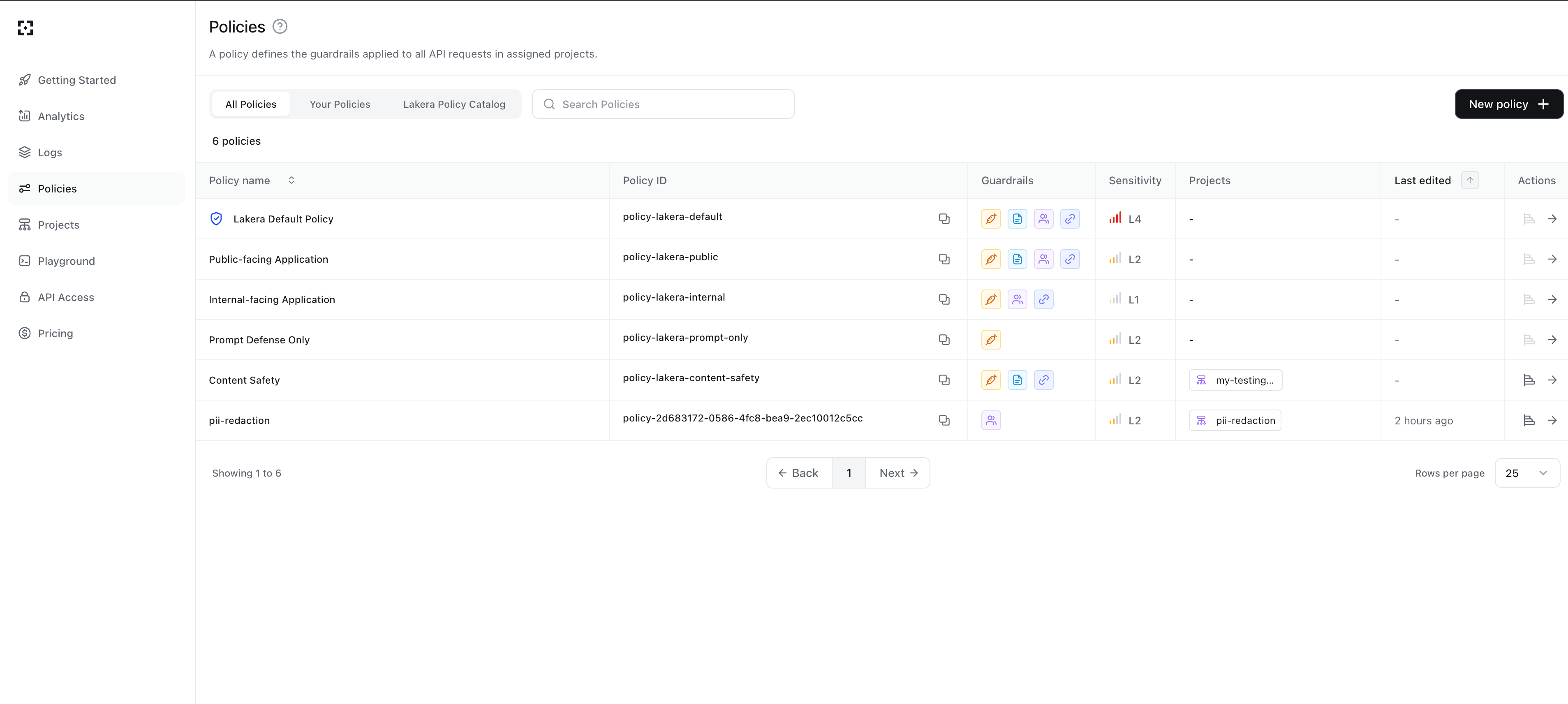
- Sign in to the Check Point AI Guardrails Dashboard.
- Open Policies and create or select the policy you want Bifrost to enforce.
- Configure the policy’s detectors and sensitivity.
- Open Projects, create or select a project, and assign the policy to it.
- Copy the project ID. Bifrost sends this value as
project_idon every screening request. - Open API Access and create an API key for Bifrost.
How It Works
- Create a provider configuration for Check Point’s AI Agent Security in Bifrost.
- Attach the configuration to a guardrail rule.
- Set the rule to run on
input,output, orboth. - When the rule matches, Bifrost converts the retained conversation into Check Point’s OpenAI-style
messagesformat. - Bifrost sends the messages, Check Point project ID, breakdown request, and Bifrost request metadata to
POST /v2/guard. - Check Point evaluates the latest interaction using the earlier messages as context and returns a
flaggeddecision. - Bifrost applies the provider’s configured
action. - Bifrost records detector summaries and Check Point’s request UUID in guardrail diagnostics when available.
action is redact, Bifrost also sends payload: true so Check Point can return supported finding locations:
POST /v2/guard. Verification checks that Bifrost can make a normal screening request with the configured credentials and project, so it can appear in Check Point request logs. There is no separate no-event health-check call.
Configuration Fields
Configure Bifrost
- Web UI
- API
- config.json
- Helm
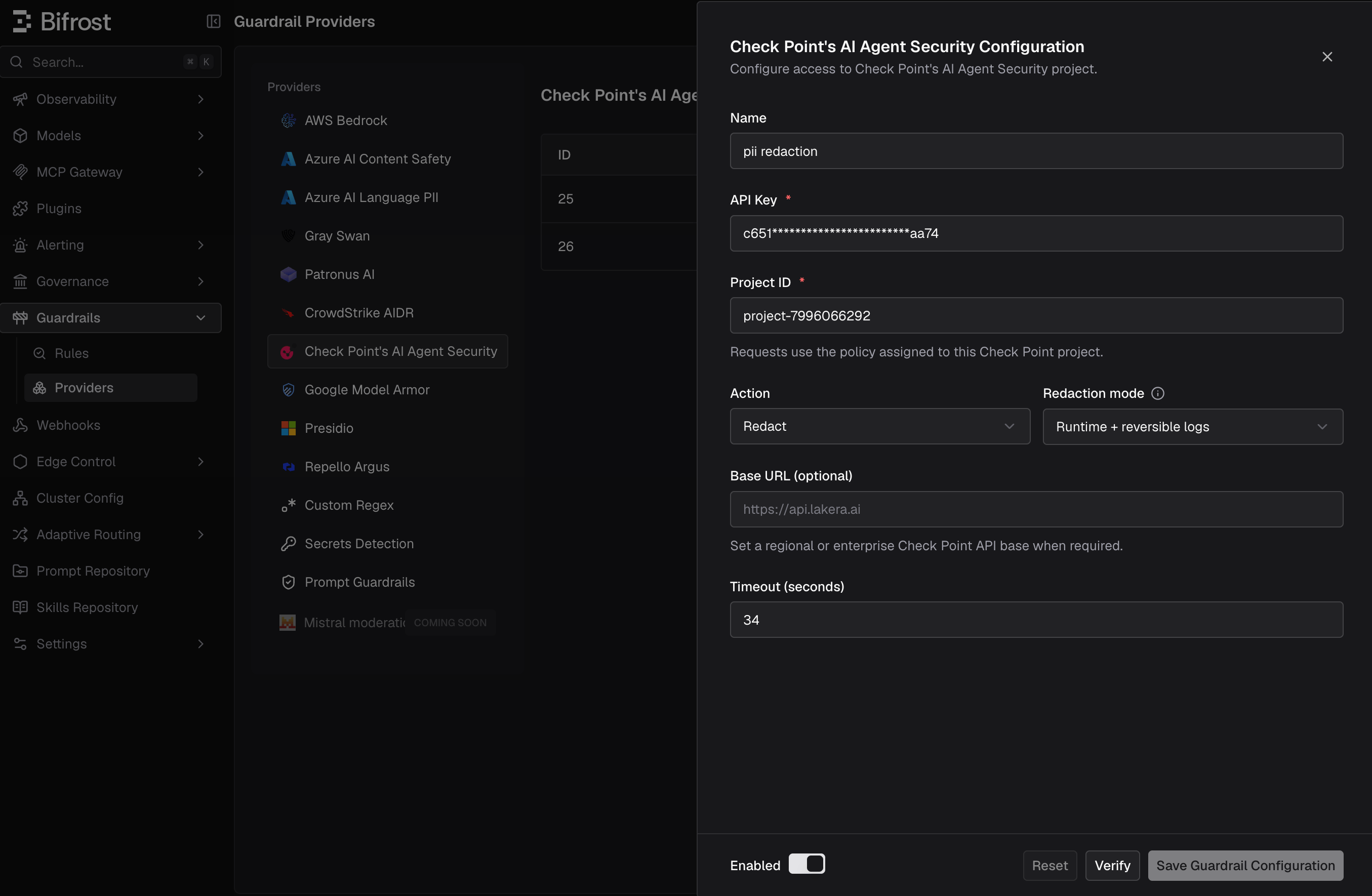
- Go to Guardrails > Providers.
- Select Check Point’s AI Agent Security and click Add Configuration.
- Enter a descriptive Name.
- Enter the required API Key and Project ID.
- Choose the Bifrost enforcement Action.
- For
redact, choose the Redaction mode and Redaction strategy. - Leave Base URL blank to use
https://api.lakera.ai, or enter your Check Point regional or enterprise API base. - Set the timeout, enable the configuration, and click Verify.
- Save the configuration and attach it to a rule under Guardrails > Configuration.
Actions And Outcomes
For a blocked request, Bifrost includes the detector summary when Check Point returns one. In LLM Logs, the request is marked Error and shows a message such as
Blocked by Check Point's AI Agent Security: Prompt attack detected (confidence: very likely).
Redaction Behavior
Check Point does not return a complete transformed prompt or response. For supported detectors, it returns finding locations in the optional payload. Bifrost maps those spans back to the original message text and performs the rewrite using the selected redaction strategy and mode. Check Point documents payload locations for PII, profanity, and custom detector regular-expression matches. Other flagged detectors, such as prompt attack, can produce a policy decision without a maskable payload. Inredact mode, Bifrost blocks those findings because allowing the original unsafe content would defeat the rule.
Bifrost also fails closed if a returned span is missing, malformed, crosses text boundaries, or cannot be mapped safely. This preserves existing block behavior for findings that cannot be transformed correctly.
Check Point’s masking of PII in the Check Point dashboard is separate from Bifrost redaction. Dashboard masking controls how request details are displayed or stored in Check Point; it does not provide transformed content for Bifrost to forward.
Request Compatibility
The earlier retained messages provide conversation context; Check Point evaluates the latest interaction rather than independently reclassifying every old turn. Set a rule’s
send_all_conversation_turns to false, then use max_turns_to_send to include the current input plus a chosen number of preceding turns.
For output rules, Bifrost sends the retained request conversation together with the selected model output. Earlier history is context only and is not rewritten during the output pass.
Streaming Behavior
Input screening happens before Bifrost calls the model, including when the client requested streaming output. For output screening, the Check Point provider requires the complete normalized conversation. Bifrost therefore buffers the full model response, calls Check Point once, and then:- returns a guardrail intervention if Check Point blocks it;
- releases the transformed response if Bifrost can redact all findings; or
- releases the original response when the policy allows it.
Observability
When available, Bifrost records Check Point diagnostics such as:flagged- detected count and detector types
- policy IDs
- Check Point
request_uuid - number of Check Point screening requests, including per-choice output checks