

Overview
Prompt Guardrails is available in Bifrost v2.0.0 and above.
ALLOWlets the request or response continue.BLOCKreturns a guardrail intervention with the judge’s reason.
Prompt Guardrails is a blocking guardrail. It does not redact or transform content. For deterministic credential and pattern checks, use Secrets Detection or Custom Regex.
How It Works
At runtime:- A guardrail rule matches an LLM request or MCP tool execution.
- Bifrost extracts text from the rule’s selected
input,output, orbothphase. - Prompt Guardrails sends that text and the configured natural-language policy to the selected judge model.
- The judge returns a structured
ALLOWorBLOCKdecision with a short reason. - Bifrost continues processing or returns a guardrail intervention.
When to Use Prompt Guardrails
Prompt Guardrails is a good fit when a policy depends on meaning or context:- Block requests asking the model to impersonate a company employee.
- Prevent responses from making definitive medical diagnoses.
- Restrict discussion of unreleased product information.
- Enforce a customer-specific communication or content policy.
You can attach multiple profiles to one rule for layered protection.
Judge Model Requirements
The selected judge provider must already be configured and enabled in Bifrost. The judge model must:- Support Chat Completions or the Responses API. Bifrost prefers Chat Completions when both are available.
- Support the
response_formatparameter used for the structured decision. - Be available in Bifrost’s model catalog.
response_format.
Configuration
- Web UI
- API
- config.json
- Helm
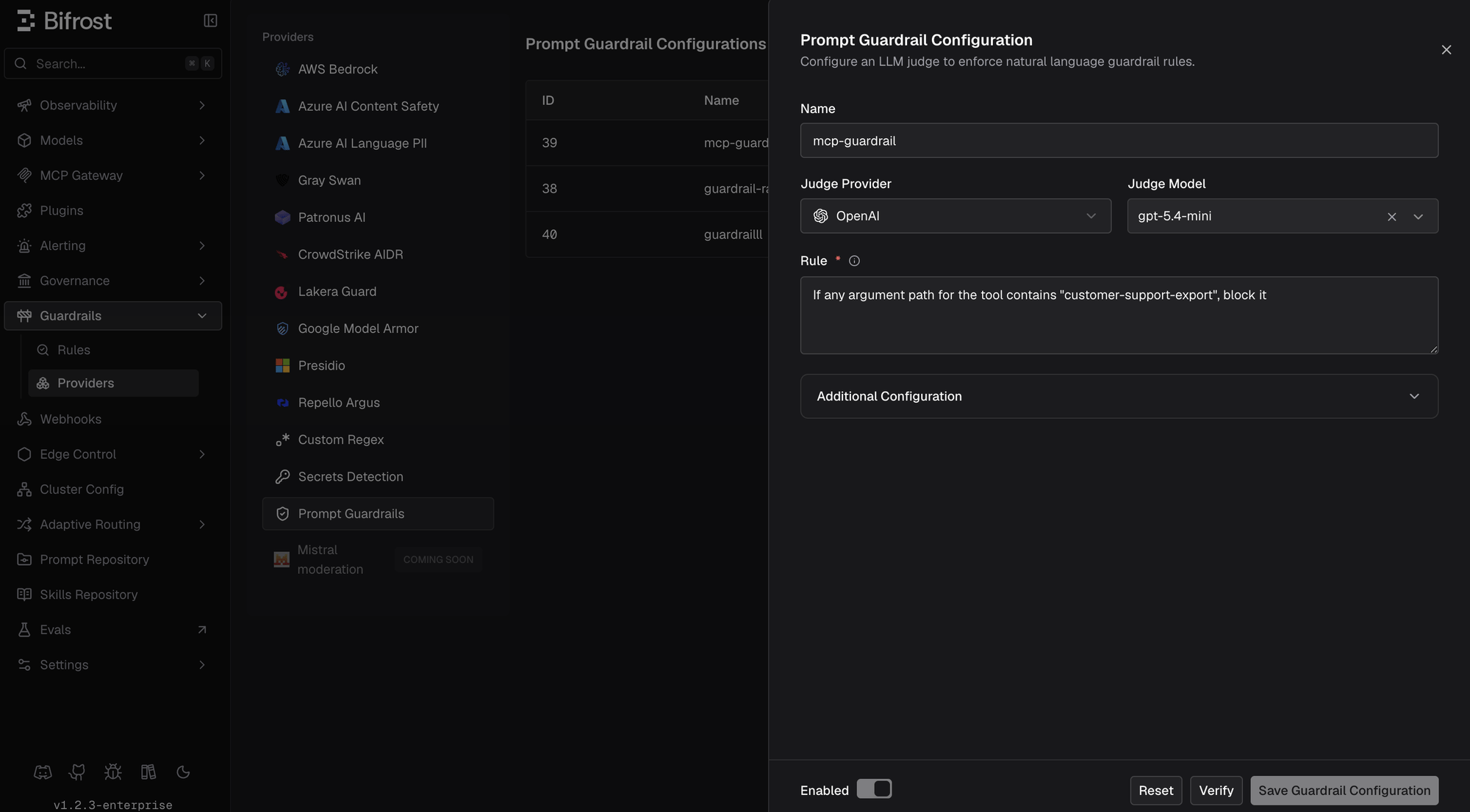
- Go to Guardrails > Providers.
- Select Prompt Guardrails.
- Click Add Configuration.
- Enter a descriptive Name.
- Select the Judge Provider and Judge Model.
- Enter the natural-language policy in Rule.
- Optionally expand Additional Configuration to change the system prompt, timeout, or output-token limit.
- Click Verify.
- Enable and save the configuration.
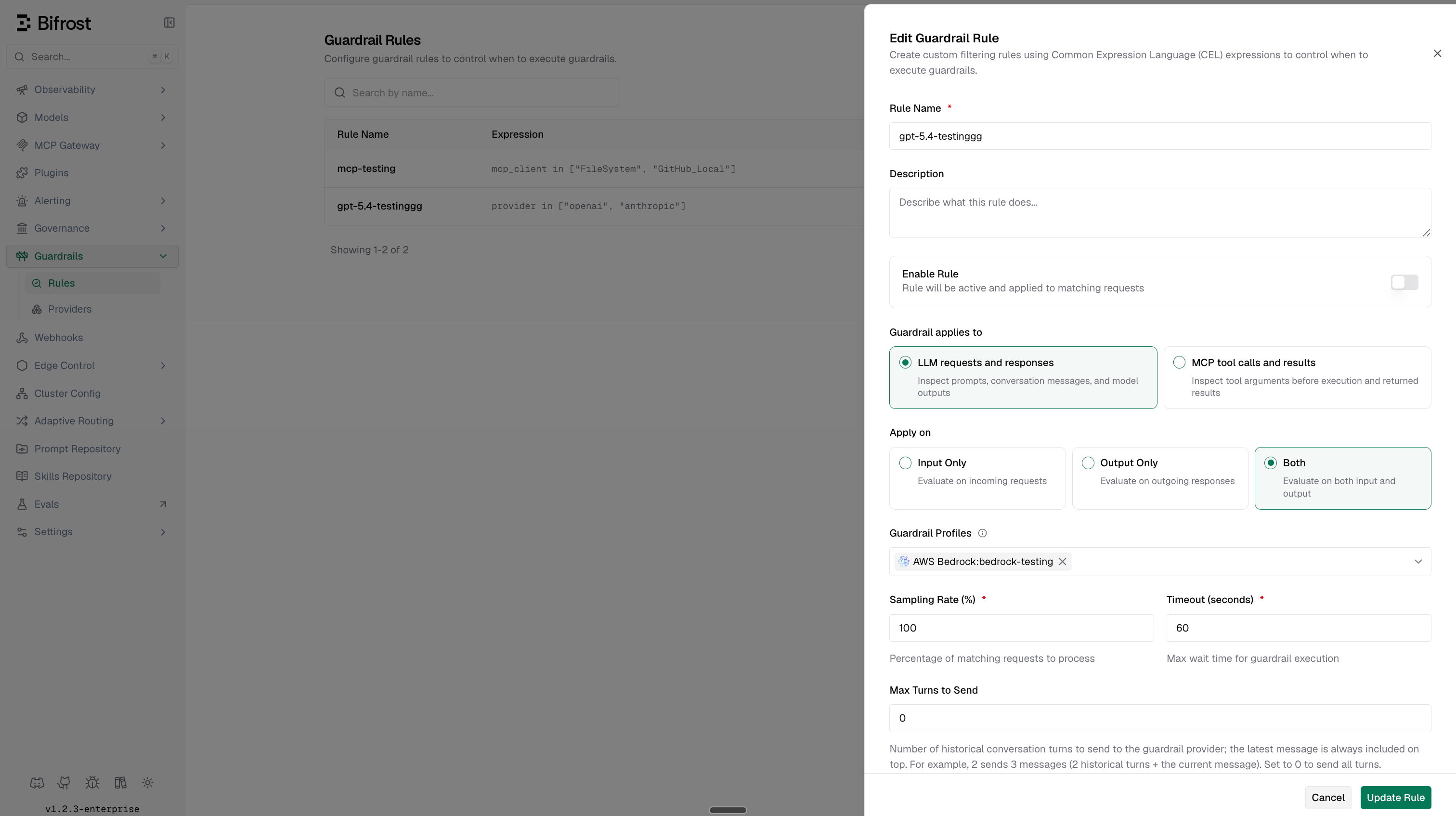
- Go to Guardrails > Configuration and attach the profile to a guardrail rule.
Changing the provider, model, policy, or additional configuration invalidates the previous verification. Verify the updated configuration before enabling it.
Configuration Fields
The default system prompt treats the configured rule as the complete policy. It blocks only clear rule violations and allows unrelated, ambiguous, or uncertain content. If you customize the prompt, preserve
{{rule}}; Bifrost always sends the evaluated content separately.
Prompt Policy vs. Guardrail Rule
Prompt Guardrails uses two different kinds of rules:
The guardrail rule also owns
input, output, or both, sampling, execution timeout, maximum turns, streaming replay settings, and the linked profile IDs.
What Verify Checks
Verify performs a real internal judge request with the selected provider and model. It checks:- Configuration-field validation.
- Chat Completions or Responses API support, plus the
response_formatmodel capability. - Provider configuration and model reachability.
- The judge model’s ability to return a usable structured decision.
"test". It does not test whether your policy makes the correct decision on real application content.
Decisions and Failure Behavior
The judge returns:BLOCK, Bifrost returns a guardrail intervention containing the judge’s short reason. For ALLOW, processing continues normally.
If the judge request times out, the provider rejects it, or the response cannot be parsed, Bifrost logs the provider failure and continues the application request or response. Prompt Guardrails therefore fails open on judge/runtime errors. Monitor guardrail logs and alerts if the policy protects a security-critical boundary.
Streaming and MCP
Prompt Guardrails can be attached to LLM and MCP guardrail rules:- For LLM input rules, it evaluates extracted request text before the model call.
- For LLM output rules, it evaluates extracted response text.
- For MCP input rules, it evaluates text extracted from tool arguments before execution.
- For MCP output rules, it evaluates text extracted from a successful tool result before it is returned.
Cost, Latency, and Logs
Each evaluated input or output phase makes an additional LLM request to the judge. Multiple matching rules or Prompt Guardrails profiles can produce multiple judge calls for one application request. Judge calls add:- Provider latency, bounded by the configured timeout.
- Prompt and completion token usage.
- Judge-model cost when pricing is available in the model catalog.
Writing Effective Policies
Write one narrow, testable policy per profile. For example:- State exactly what must be blocked and what closely related content is allowed.
- Test clear allow, clear block, ambiguous, and prompt-injection examples.
- Keep deterministic checks in Secrets Detection or Custom Regex.
- Use rule sampling when full coverage is not required and judge cost is significant.
- Use descriptive profile names so logs identify the policy without opening its configuration.
- Review judge reasons and false positives before expanding traffic coverage.
Troubleshooting
For shared rule configuration, CEL variables, and provider management, see the Guardrails overview.