

Overview
Guardrails in Bifrost provide enterprise-grade content safety, security validation, and policy enforcement for LLM traffic and MCP tool executions. The system validates inputs and outputs in real-time against your specified policies, ensuring responsible AI deployment with protection against harmful content, prompt injection, PII leakage, credential leakage, and policy violations.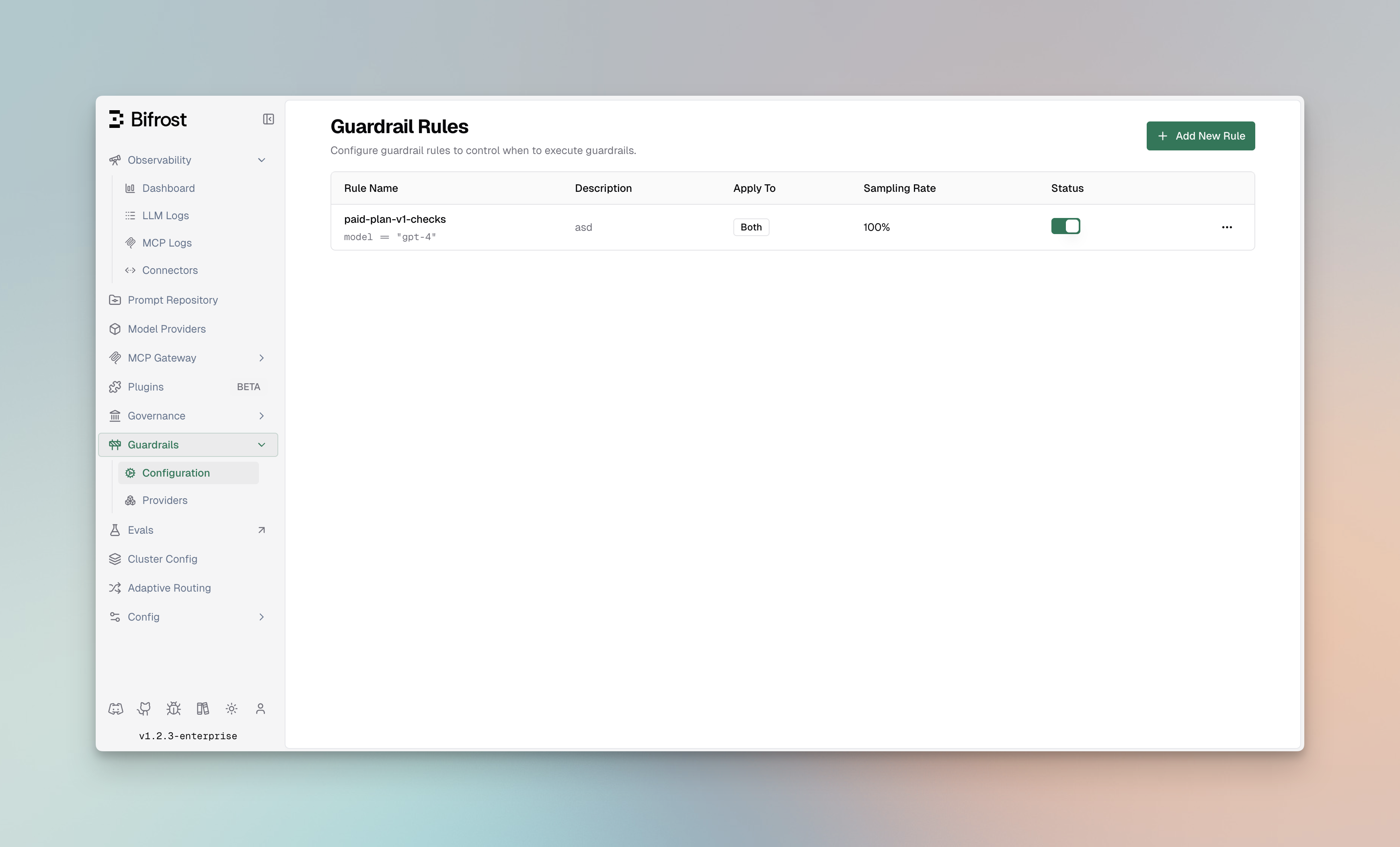
Supported Providers
Secrets Detection
Built-in Gitleaks-backed detection for leaked API keys, tokens, private keys, and credentials.
Prompt Guardrails
LLM-as-judge enforcement for organization-specific natural-language policies.
Custom Regex
In-process regex guardrails, including the built-in PII Detection template.
Microsoft Presidio
Presidio Analyzer based PII detection, blocking, and redaction.
Azure AI Language PII
Azure Language PII entity recognition with configurable categories and redaction.
AWS Bedrock Guardrails
Enterprise content filtering, PII detection, and prompt attack prevention.
Azure Content Safety
Multi-modal content moderation with severity-based filtering.

Google Model Armor
Google Cloud policy enforcement for prompt injection, content safety, malicious URLs, and Sensitive Data Protection.

CrowdStrike AIDR
Inline AI threat detection, policy enforcement, redaction, and AIDR audit visibility.

Gray Swan Cygnal
AI safety monitoring with natural language rule definitions.

Patronus AI
LLM security, hallucination detection, and safety evaluation.

Check Point's AI Agent Security
Threat detection for LLM conversations, including prompt injection and sensitive data exposure.

Repello Argus
Asset-defined AI security policies for prompt injection, sensitive data, unsafe content, and policy violations.

Singulr AI
Policy-driven prompt-injection, PII, and PHI enforcement with allow, block, and span-based redaction decisions.
Core Concepts
Bifrost Guardrails are built around two core concepts that work together to provide flexible and powerful content protection:
How They Work Together:
- Profiles define how content is evaluated using native Bifrost checks or external provider capabilities
- Rules define when and what content gets evaluated using CEL expressions
- A single rule can use multiple profiles for layered protection
- Profiles can be reused across different rules for consistency
Key Features
Redaction
Supported providers can redact detected text instead of only detecting or blocking it. Bifrost supports three redaction modes:- Runtime (
runtime) redacts the live request or response and stores redacted values in logs. - Logs only (
logs_only) leaves runtime content raw but redacts Bifrost logs and trace-export connector content. - Runtime + reversible logs (
runtime_reversible) redacts runtime content and logs with reversible placeholders.
Navigating Guardrails in the UI
Access Guardrails from the Bifrost dashboard:Guardrail Targets
Every rule has one execution target. Existing rules and rules that omittarget default to llm.
Both targets also expose
headers, virtual_key, customer, team, and user. Target-specific CEL variables are intentionally isolated: an MCP rule cannot reference model, and an LLM rule cannot reference mcp_tool.
Architecture
The following diagram illustrates how Rules and Profiles work together for the LLM target. For tool execution, see MCP Guardrails. Flow Description:- Incoming Request - LLM request arrives at Bifrost
- Input Validation - Applicable rules evaluate the input using linked profiles
- LLM Processing - If input passes, request is forwarded to the LLM provider
- Output Validation - Response is evaluated by output rules using linked profiles
- Response - Validated response is returned (or blocked/modified based on violations)
MCP Guardrails
MCP guardrails protect the actual tool-execution boundary, not merely the tool call proposed by an LLM. After the rule’s CEL expression matches, Bifrost applies the selected phase: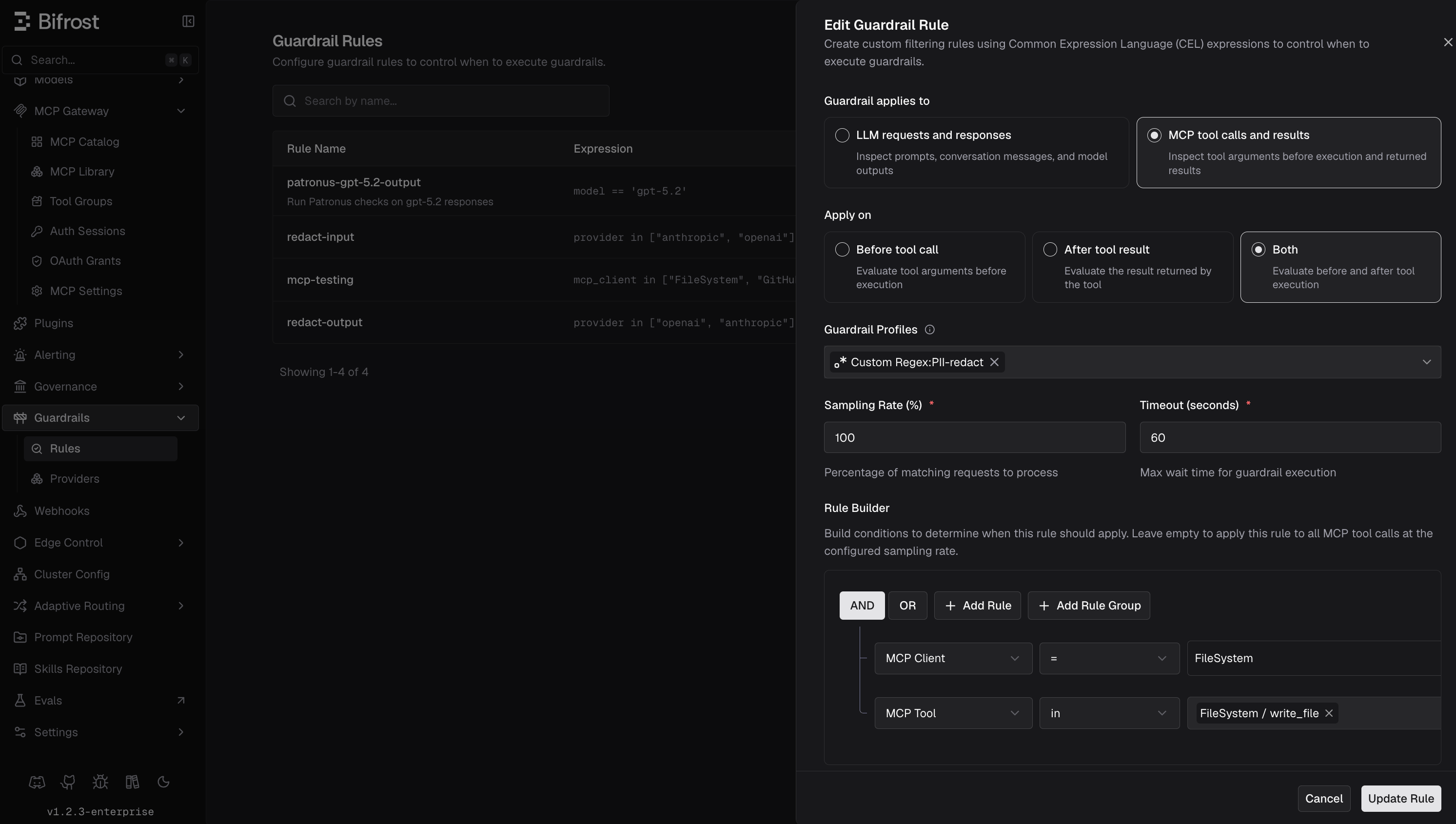
Choose Which Tool Calls to Guard
- MCP Client is populated from configured clients that are enabled.
- MCP Tool is populated from their currently discovered tools.
- Tool Argument shows a searchable dropdown of top-level string, number, and boolean input-schema fields when one MCP tool is selected with the
=operator. You can also enter an argument name manually.
All supported guardrail providers can be linked to MCP rules without separate MCP-specific provider setup. Provider capabilities still apply: only providers listed in Guardrail Redaction support Bifrost-managed redaction, while other providers may detect, block, or return provider-managed transformations.
Streaming Output Guardrails
Streaming delivery depends on what the matched output guardrails can do:- Detect-only and logs-only rules observe the stream without delaying client delivery.
- Runtime redaction checks buffered text segments and releases the resulting safe text as the response is generated.
- If any matched rule can block, Bifrost holds the complete stream until generation and guardrail evaluation finish. If
stream_replay_event_interval_msis positive, an allowed stream is replayed with that delay between buffered events; otherwise, it is delivered immediately. A blocked stream returns the guardrail intervention instead.
25 milliseconds when pacing is enabled, while 0 sends all buffered events immediately. If multiple matched block-capable rules configure different intervals, Bifrost uses the largest value. This behavior applies to streaming Chat Completions, Text Completions, and Responses API requests.
Input guardrails still check the request before Bifrost sends it to the LLM provider.
Gray Swan is a tool-call-specific exception. Text-only streams are delivered directly to the client and are not sent to Cygnal. See Gray Swan Cygnal for the full behavior.
If the same rule also uses another output guardrail profile, Bifrost waits for that profile to check the completed response. Gray Swan’s text-only behavior only skips the Gray Swan call; it does not bypass the other profile.
Guardrail Rules
Guardrail Rules are custom policies that define when and how content validation occurs. Rules use CEL (Common Expression Language) expressions to evaluate requests and can be linked to one or more profiles for execution.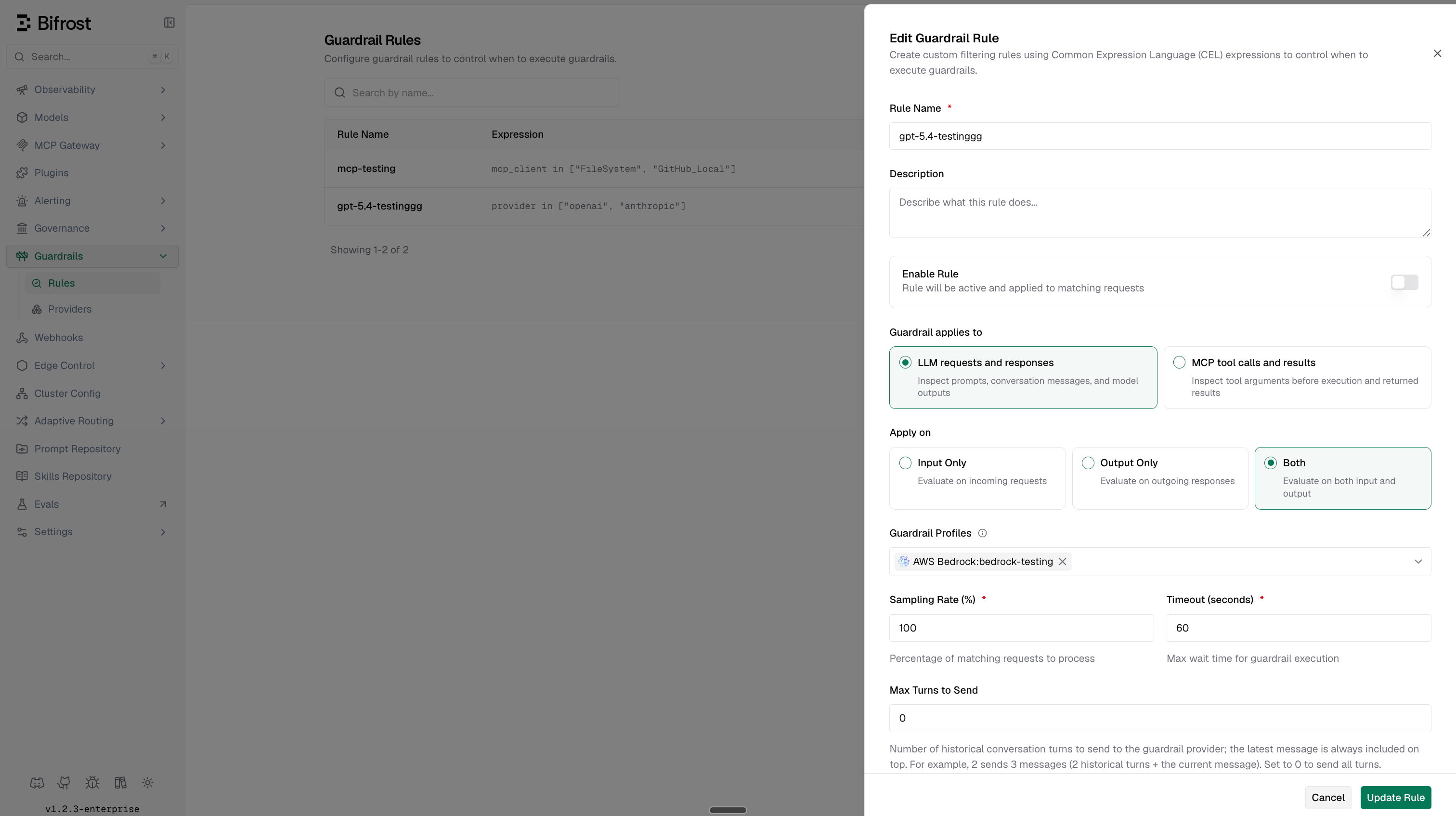
Rule Properties
Creating Rules
- Web UI
- API
- config.json
- Helm
- Navigate to Rules
- Go to Guardrails > Configuration
- Click Add Rule
- Configure Rule Settings
- Name: Enter a descriptive name (e.g., “Block PII in Prompts”)
- Description: Explain the rule’s purpose
- Enabled: Toggle to activate the rule
- Target: Choose LLM or MCP. LLM is the default for existing rules
- Apply To: Select when to apply the rule
input- Validate incoming prompts for LLM rules or tool arguments for MCP rulesoutput- Validate LLM responses or MCP tool resultsboth- Validate both phases
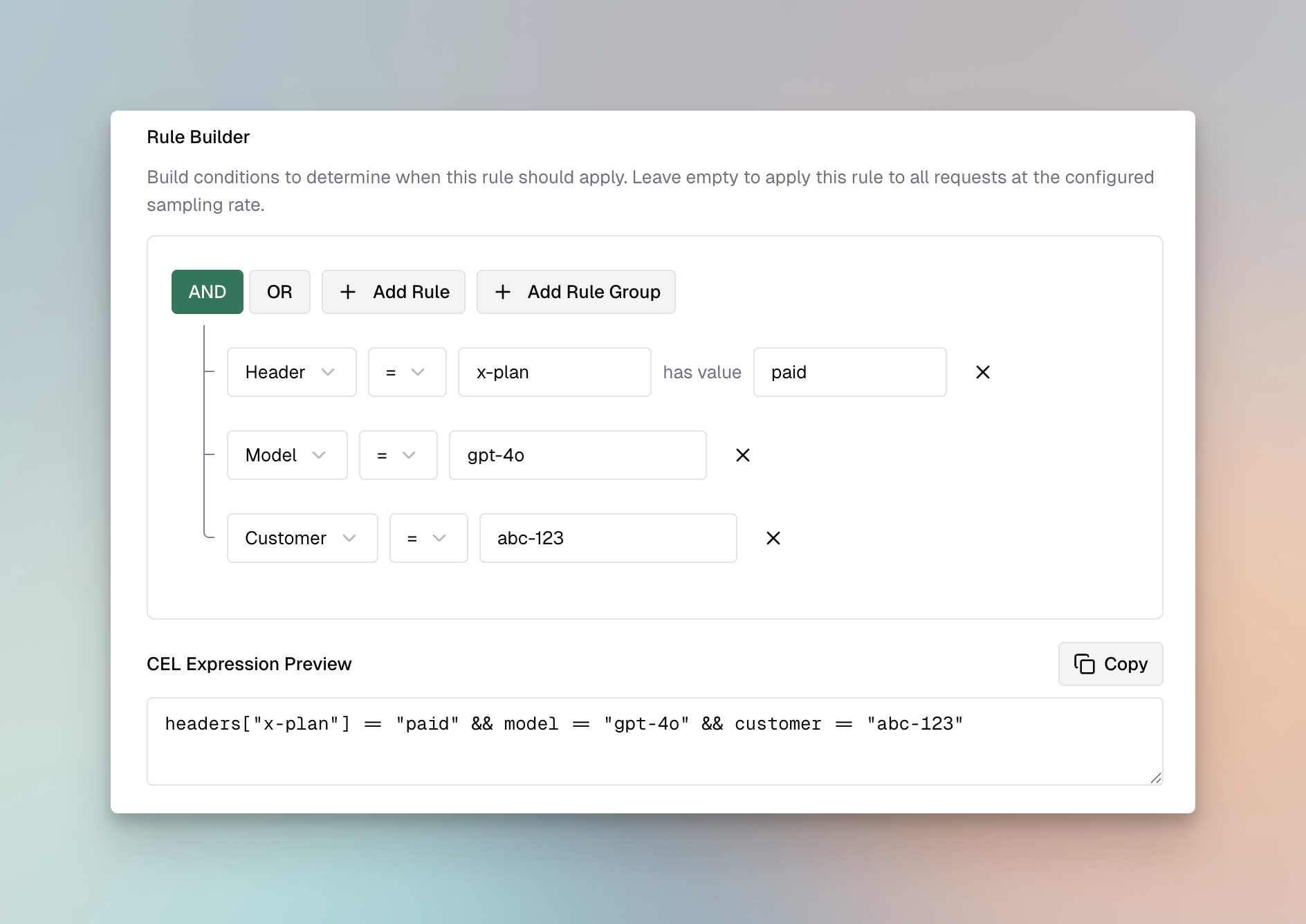
- CEL Expression: Define the validation logic
- Sampling Rate: Set percentage of requests to evaluate (default: 100%)
- Timeout: Set maximum execution time in seconds (default: 60)
-
Link Profiles
- Select one or more profiles to use for evaluation
- Bifrost evaluates linked profiles in their configured order and stops that rule when a profile intervenes or fails
-
Save and Test
- Click Save Rule
- Use the Test button to validate with sample content
CEL Expression Examples
CEL (Common Expression Language) determines whether a rule applies using request identity and target-specific metadata. The linked guardrail profiles inspect the actual prompt, response, tool arguments, or tool result; message content is not exposed as arequest.messages CEL object.
Always Apply Rule:
Linking Rules to Profiles
Rules can be linked to multiple profiles for comprehensive validation: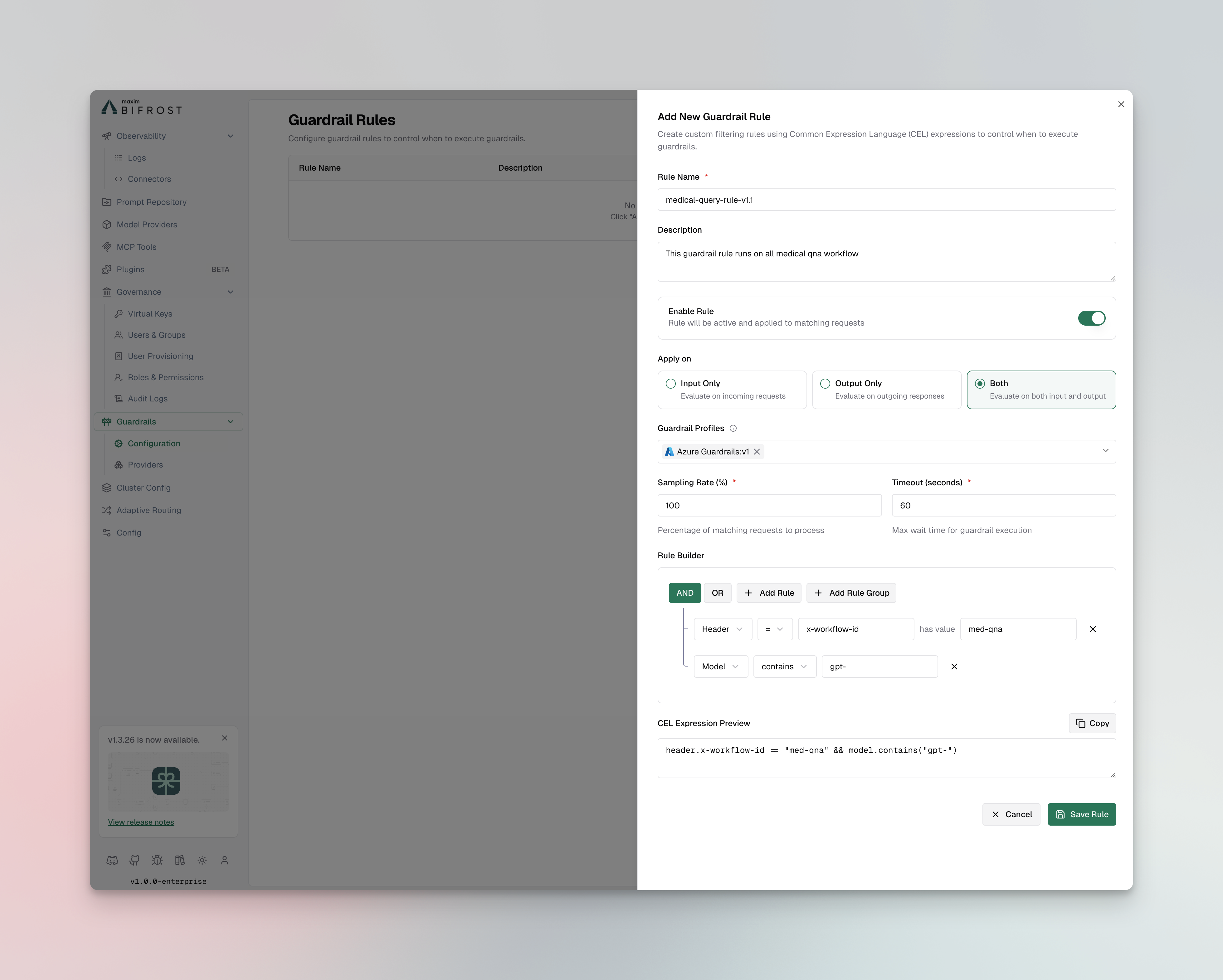
- Link credential-leakage rules to Secrets Detection
- Link PII detection rules to profiles with PII capabilities (Custom Regex PII template, Presidio, Azure AI Language PII, Bedrock, Patronus)
- Link content filtering rules to profiles with content safety features (Azure, Bedrock, Gray Swan)
- Use Prompt Guardrails for natural-language policies evaluated by a configured Bifrost judge model
- Use Gray Swan when you want its external Cygnal policy service, violation scoring, and threat-detection capabilities
- Use multiple profiles for defense-in-depth (e.g., Bedrock + Patronus for PII, Azure + Gray Swan for content)
- Set appropriate timeouts when using multiple profiles
Managing Profiles
Profiles are reusable configurations for guardrail providers. External providers include credentials, endpoints, and detection thresholds. Custom Regex and Secrets Detection run locally. Prompt Guardrails uses a configured Bifrost LLM provider and model as its judge.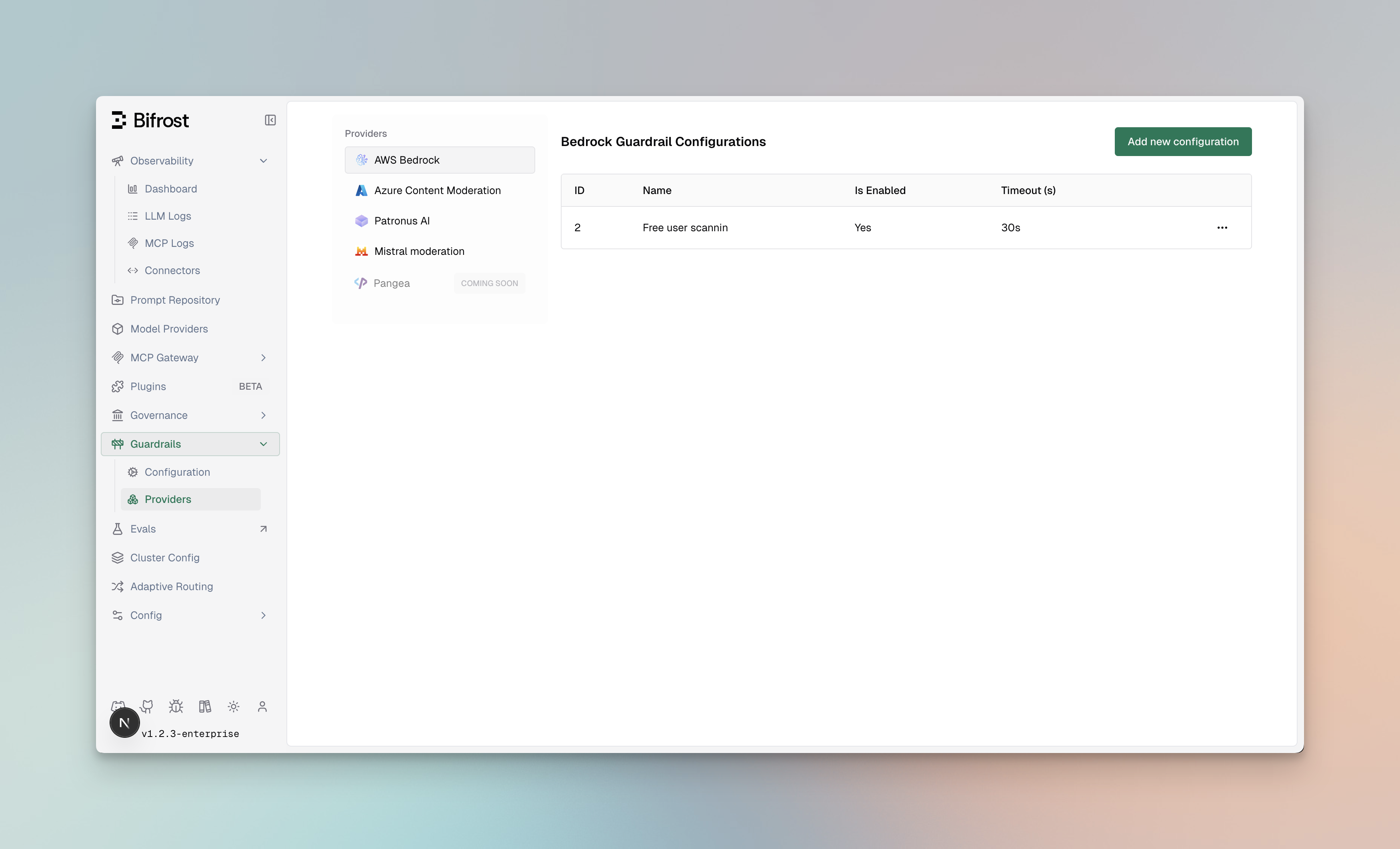
Profile Properties
Creating Profiles
- Web UI
- API
- config.json
- Helm
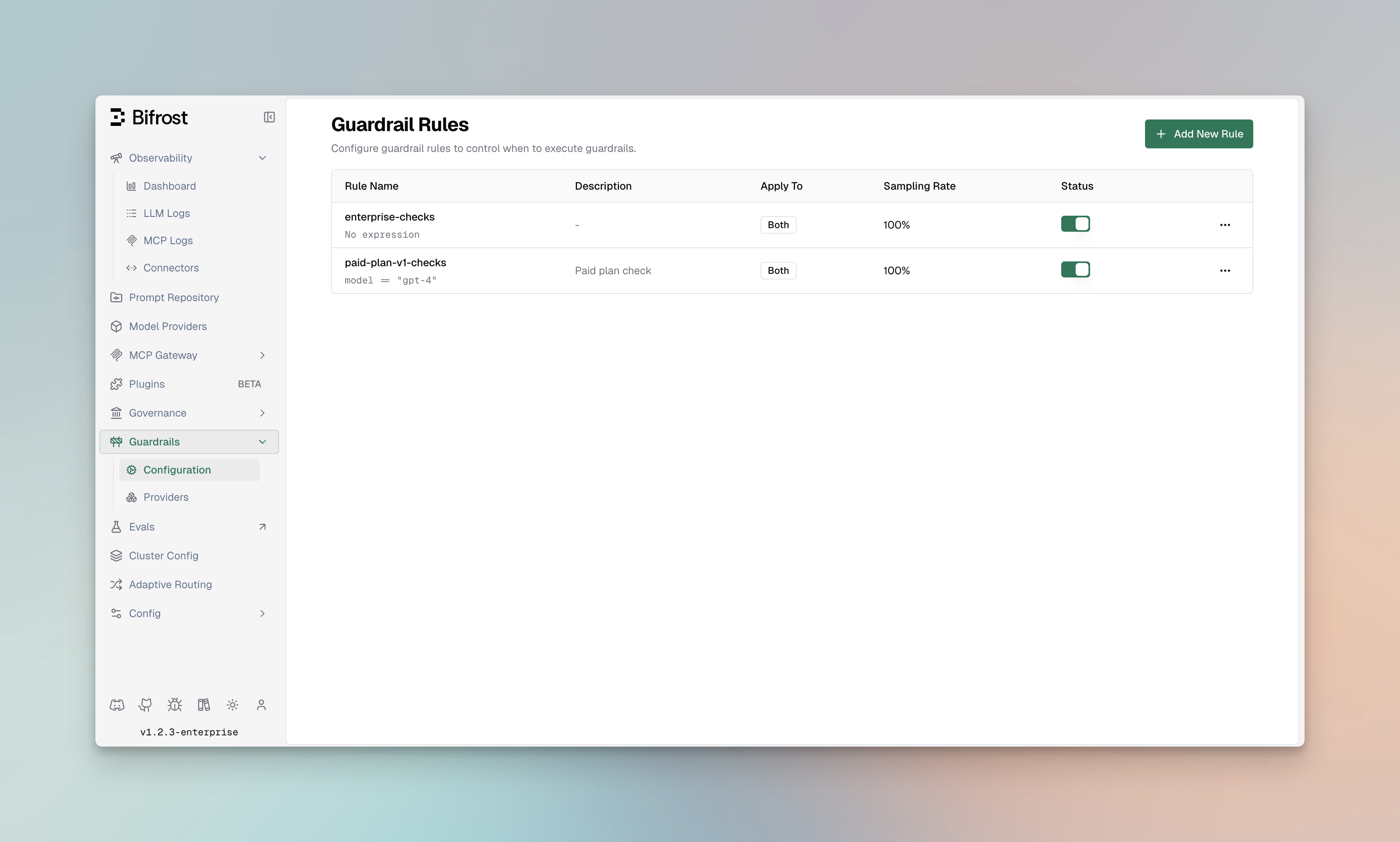
- Navigate to Providers
- Go to Guardrails > Providers
- Click Add Profile
-
Select Provider Type
- Choose a supported Bifrost-managed or external provider
-
Configure Provider Settings
- Enter credentials and endpoint information for external providers, local settings for native providers, or the judge provider, model, and policy for Prompt Guardrails
- Configure provider-specific detection, decision, or transformation settings
- See the provider-specific page for detailed configuration
-
Save Profile
- Click Save Profile
- The profile is now available for linking to rules
Provider Capabilities
Bifrost-managed providers cover deterministic local checks and natural-language policies:
See Guardrail Redaction for Bifrost-managed redaction modes. Third-party guardrail providers offer the following capabilities:
CrowdStrike AIDR capabilities depend on the AIDR policy and detectors configured in CrowdStrike. Bifrost sends the request to AIDR, then enforces the returned
blocked or transformed decision.Best Practices
Profile Organization:- Create separate profiles for different use cases (PII, content filtering, etc.)
- Use descriptive policy names that indicate the profile’s purpose
- Keep credentials secure using environment variables
- Enable only the profiles you need to minimize latency
- Use sampling rates on rules for high-traffic endpoints
- Set appropriate timeouts to prevent slow requests
- Account for the extra model latency and token cost of each Prompt Guardrails judge call
- Test Prompt Guardrails policies with representative allow, block, ambiguous, and adversarial examples before production use
- Store API keys and credentials in environment variables or secrets managers
- Regularly rotate credentials
- Use least-privilege IAM roles for AWS Bedrock
- Use least-privilege Google IAM roles for Google Model Armor, such as
roles/modelarmor.useror a higher Model Armor role