

Overview
Required headers let you enforce that specific HTTP headers are present on every LLM and MCP request passing through Bifrost. If a request is missing any required header, the governance plugin rejects it with a 400 Bad Request error before it reaches the provider. This is useful for:- Tenant isolation - Require
X-Tenant-IDto identify the calling tenant - Audit trails - Require
X-Correlation-IDfor request tracing across services - Custom routing metadata - Require headers your infrastructure depends on
Required headers validation requires governance to be enabled. The check runs in both
PreLLMHook and PreMCPHook, so it applies to all inference and MCP tool execution requests.X-Tenant-ID will match x-tenant-id, X-TENANT-ID, or any other casing.
How it works
When a request arrives:- The HTTP transport middleware stores all request headers in the Bifrost context (lowercased keys)
- The governance plugin’s
PreLLMHook/PreMCPHookchecks for each required header - If any are missing, the request is rejected immediately with a
400status and a JSON error listing the missing headers
Configuration
- Web UI
- API
- config.json
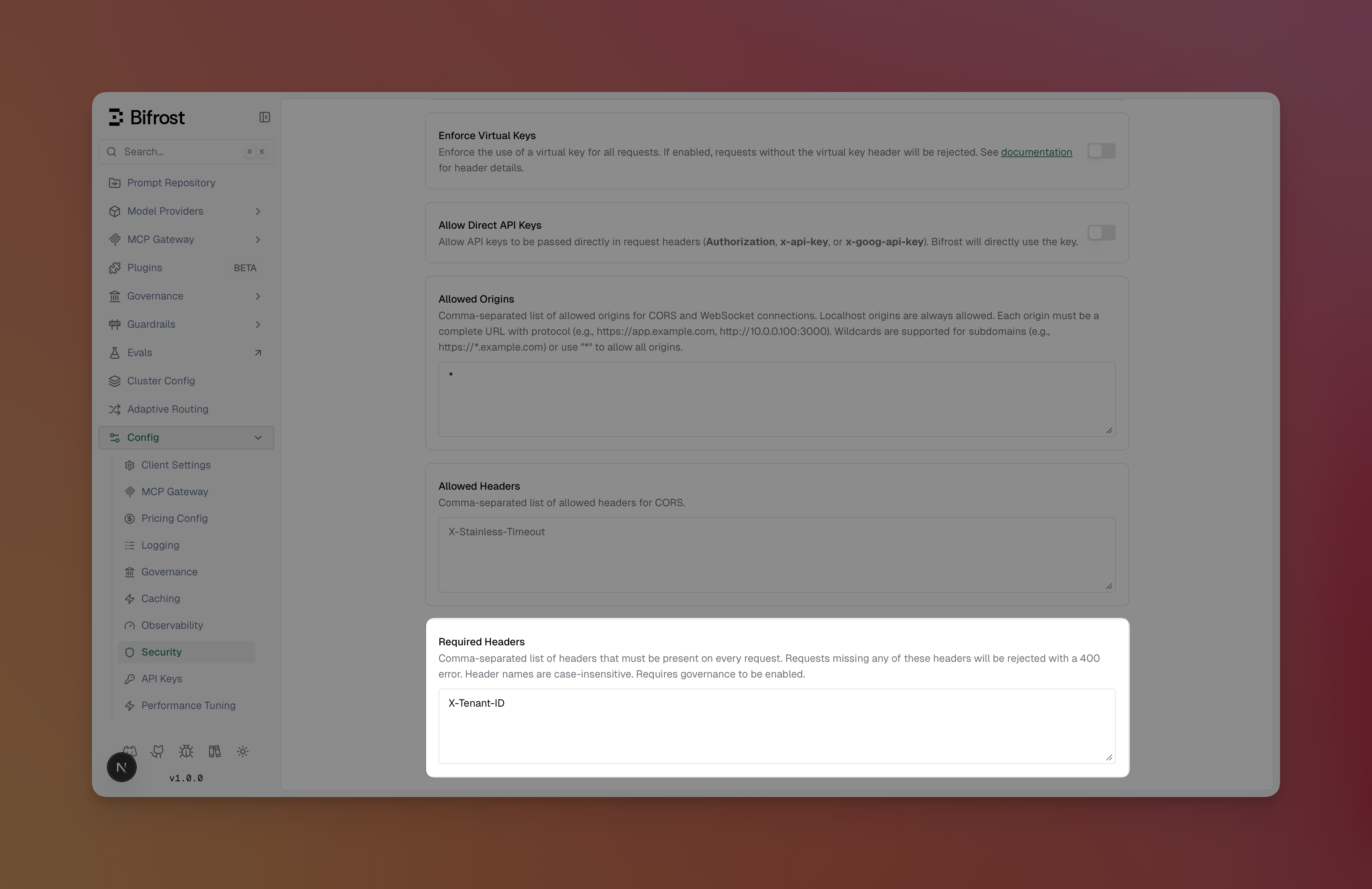
- Navigate to Config > Security Settings
- Ensure Governance is enabled (the required headers section only appears when governance is active)
-
Scroll to Required Headers
-
Enter a comma-separated list of header names (e.g.,
X-Tenant-ID, X-Correlation-ID) - Click Save Changes
Examples
Requiring a tenant header
Configure a single required header to enforce tenant identification:Combining with virtual keys
Required headers work alongside virtual key enforcement. When both are configured, the governance plugin checks required headers first, then validates the virtual key:X-Tenant-ID to pass governance.
Next steps
- Virtual Keys - Set up access control with virtual keys
- Budget and Limits - Configure budgets and rate limits
- Routing - Route requests based on headers and other criteria