

Overview
Bifrost records every alert evaluation outcome in alert history. Each record captures the rule that was evaluated, the scope and target, the metric values at evaluation time, the delivery channel (if applicable), and the outcome status. Alert history is stored in the configured logs store. PostgreSQL and ClickHouse logs stores both support history writes, filtering, and recovery of alert state. With ClickHouse, Bifrost creates anenterprise_alert_history table with the configured history_retention_days TTL.
Bifrost uses its shared key-value store for live rule cooldown, channel cooldown, and reset-cycle checks. After startup or a leadership change, the alerting engine bulk-loads only the latest relevant sent timestamps and reset-cycle identities from history before it can dispatch alerts. Normal evaluation sweeps do not query alert history for each rule or channel.
With ClickHouse, a cold recovery performs an immediate read and a delayed second read before dispatch starts. This allows replicated ClickHouse tables time to converge and reduces duplicate notifications after failover.
Alert history records
Open Alerting in the Bifrost dashboard and select the History tab to review past alert activity.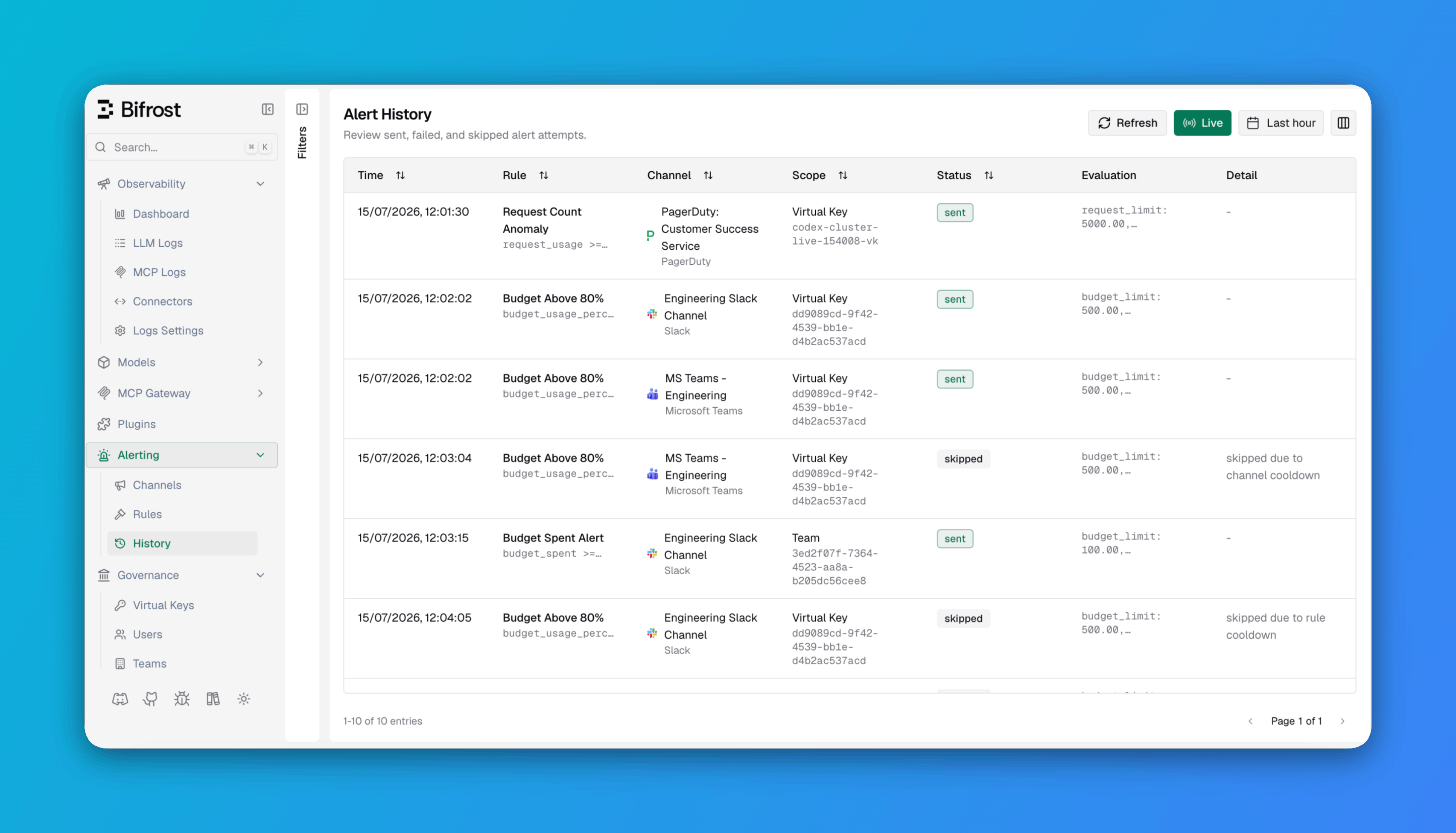
You can filter history by status, scope type, and channel type.
Statuses
Each history record has one of three statuses:
For skipped records, the
status_detail field indicates the reason:
"skipped due to rule cooldown"- the rule-level cooldown was active."skipped due to channel cooldown"- the channel-level cooldown was active.
status_detail field contains the error (for example, "delivery failed" or "unsupported alert channel type: ...").
Evaluation input
Each history record stores the metric values that were evaluated. For a matched rule, this includes the specific values that caused the expression to evaluate totrue. Example for a budget alert:
API
The alert history API is available at/api/alerting/history.
Query parameters:
Rows with the same sort value are ordered newest first.
id is numeric with PostgreSQL and a UUID string with ClickHouse.
Next steps
Alert Rules
Tune conditions, scopes, and cooldowns based on what you see in history.
Alert Channels
Reconfigure channels if you see delivery failures.