

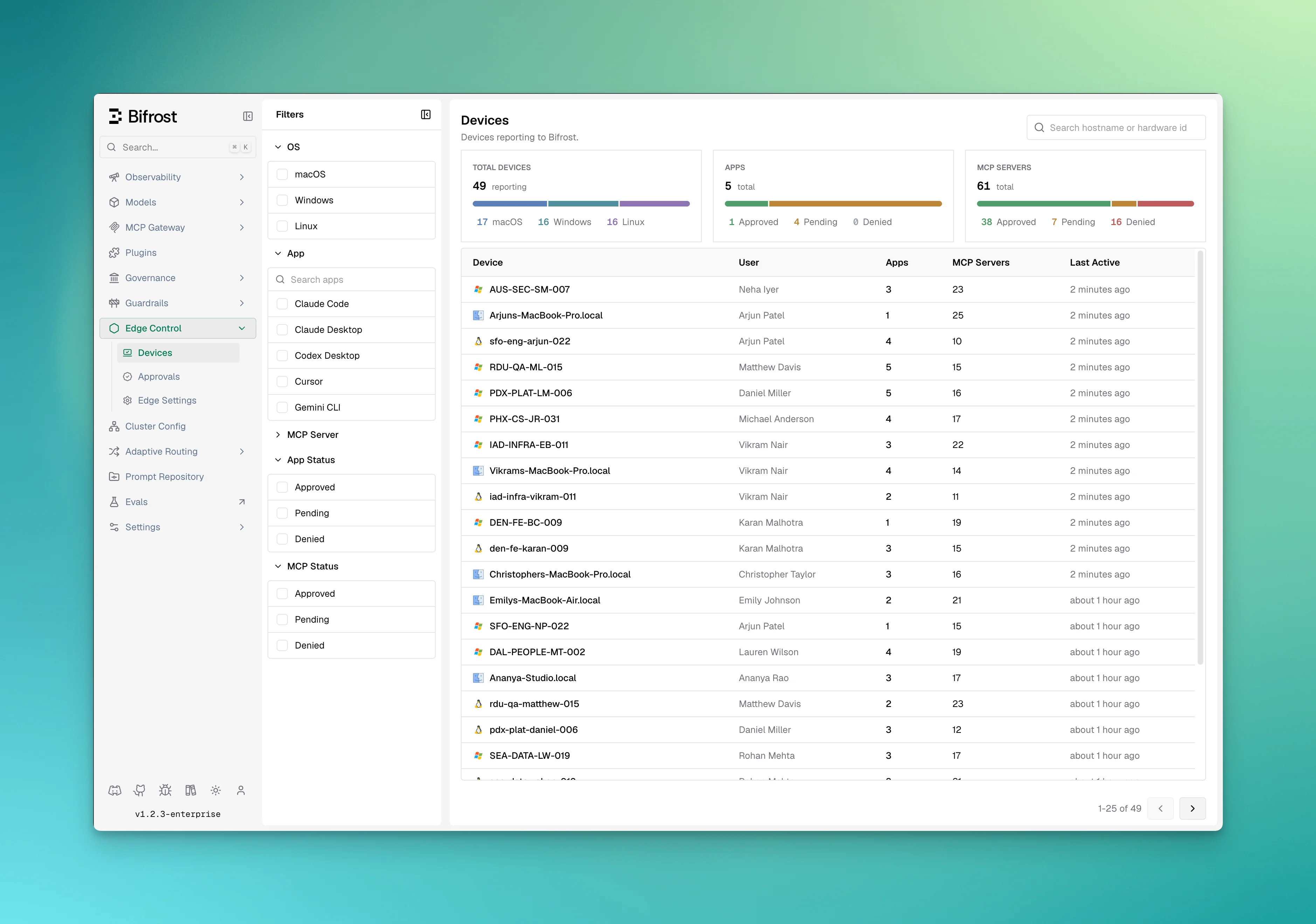
Fleet summary
The top of the dashboard shows totals for the fleet: number of devices, a breakdown by operating system, and counts of AI apps and MCP servers by status (approved, pending, denied).Per-device information
The list shows the following for each device, and you can open a device for its full detail: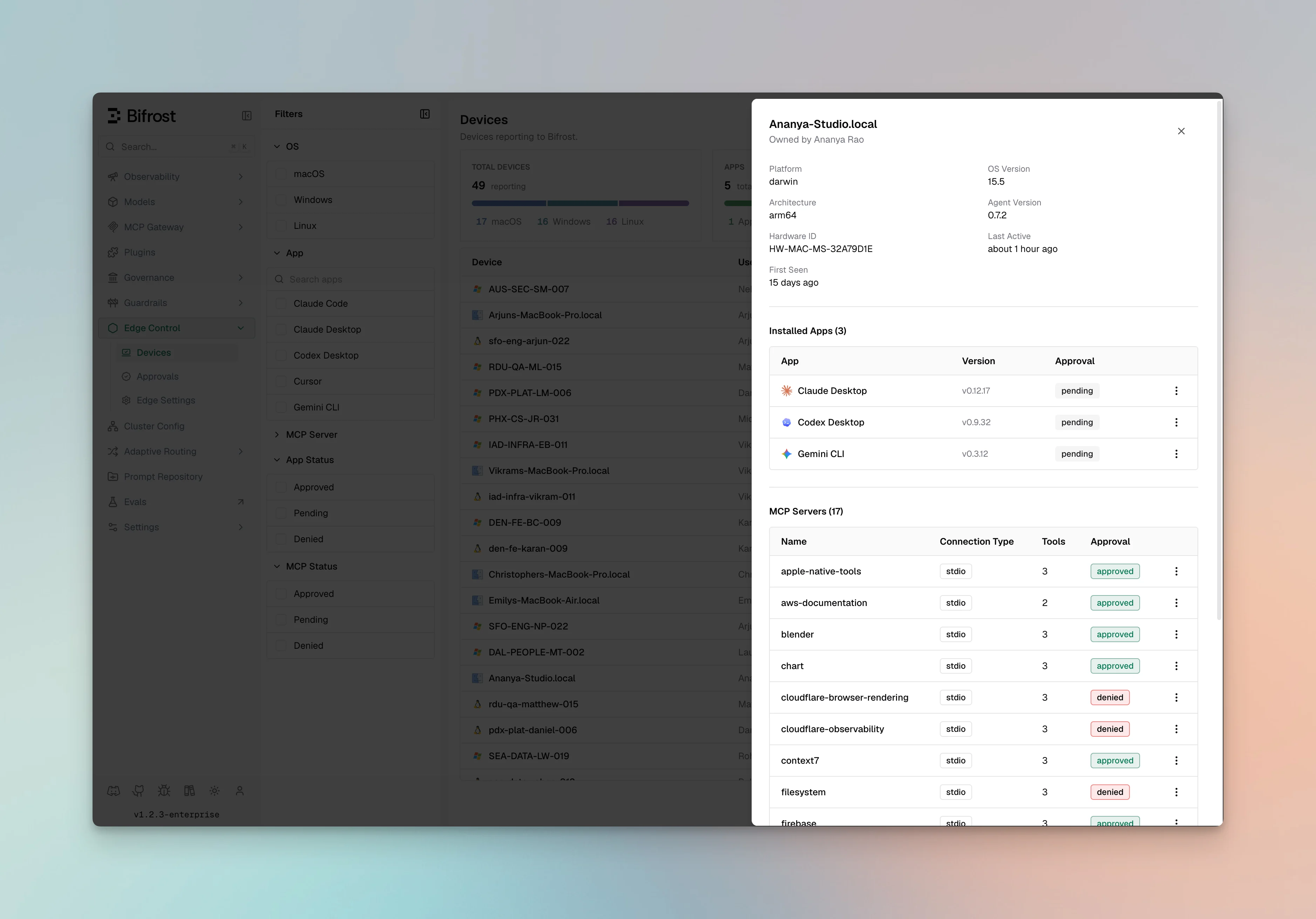
Filters
You can narrow the list by:- Hostname or owner
- Platform (macOS, Windows, Linux)
- A specific installed AI app or MCP server
- Approval status (pending, approved, or denied)
Device detail
Opening a device shows its installed AI apps and versions, its configured MCP servers and the tools each exposes, and the owner. From here you can also approve or deny apps and MCP servers, or remove the device.Next steps
- Approve or deny apps and MCP servers in Approvals.
- Set fleet-wide options in Configurations.