> ## Documentation Index
> Fetch the complete documentation index at: https://docs.getbifrost.ai/llms.txt
> Use this file to discover all available pages before exploring further.
# Security & guardrails
> Bifrost Edge routes AI traffic from every app through your guardrails, so PII redaction, secrets detection, content safety, and policy enforcement apply everywhere - out of the box, with the profiles you already configured.
Because Bifrost Edge routes AI traffic through your Bifrost, every [guardrail](/enterprise/guardrails) you have configured applies automatically to the AI people use on their machines. There is nothing extra to set up on the endpoint: the same rules and profiles that protect your gateway traffic now protect prompts and responses from desktop apps, browser AI, and coding agents. Configure once, and it works across every supported app.
```mermaid theme={null}
flowchart LR
A[AI app on a machine] --> B[Bifrost Edge]
B --> C[Bifrost guardrails
PII, secrets, content safety, policy]
C -- allowed --> D[Model provider]
C -- blocked or redacted --> A
```
## Guardrails that apply out of the box
Your existing guardrail profiles cover Edge traffic with no additional configuration. Set them up once in [Guardrails](/enterprise/guardrails) and they take effect across the fleet.
Built-in Gitleaks-backed detection for leaked API keys, tokens, private keys, and credentials.
In-process regex guardrails, including the built-in PII Detection template.
Enterprise content filtering, PII detection, and prompt attack prevention.
Multi-modal content moderation with severity-based filtering.
Policy enforcement for prompt injection, content safety, malicious URLs, and Sensitive Data Protection.
Inline AI threat detection, policy enforcement, redaction, and AIDR audit visibility.
AI safety monitoring with natural language rule definitions.
LLM security, hallucination detection, and safety evaluation.
Guardrails are configured in Bifrost using reusable **profiles** and **rules**. Edge does not change any of that - it simply brings more traffic under the same protection. To set up or adjust guardrails, go to [Guardrails configuration](/enterprise/guardrails).
## The same protection across every app
Whatever AI tool someone uses, the guardrail is applied before the prompt reaches a model and before the response comes back. Here is what that looks like across a few common surfaces.
### ChatGPT web
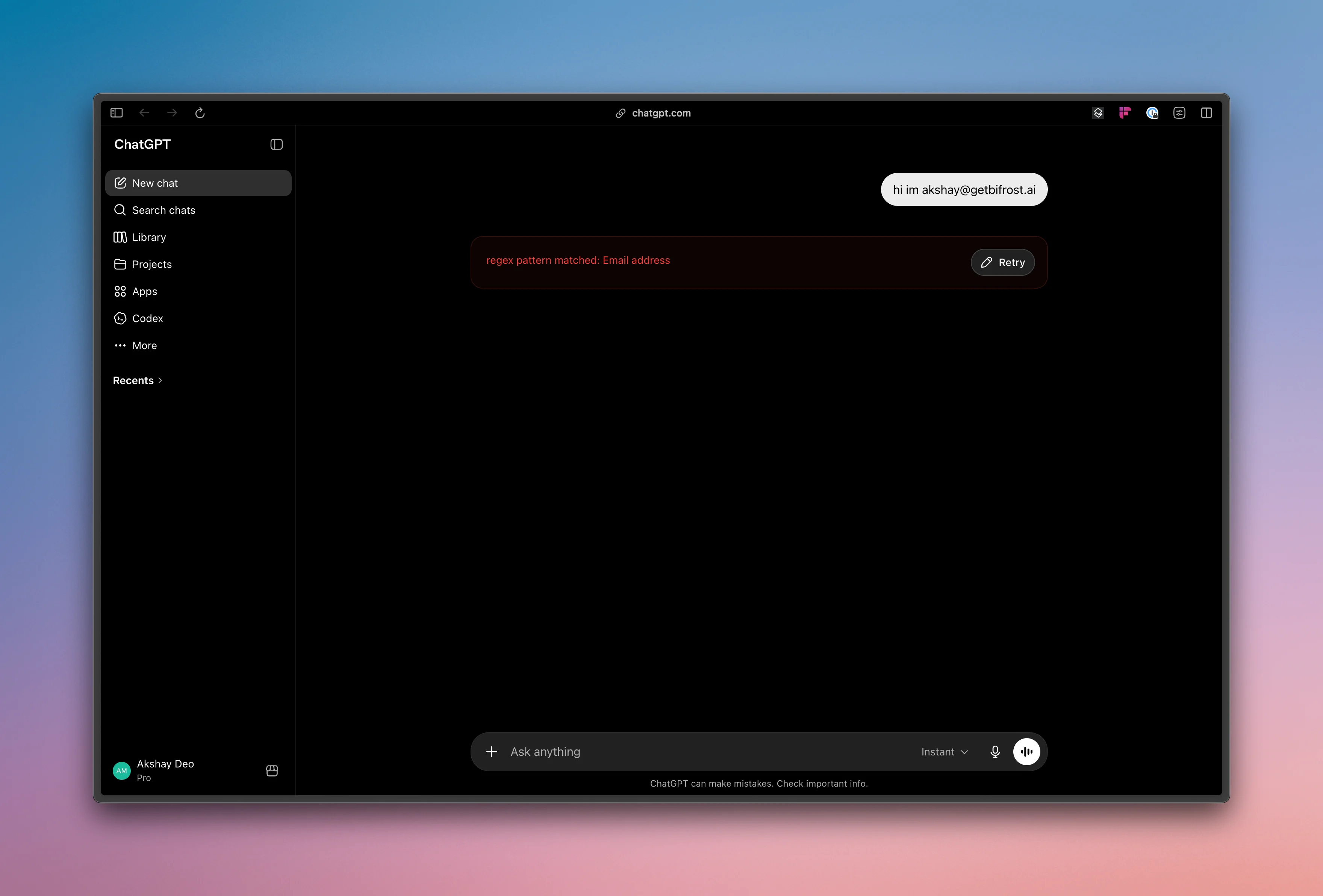
A prompt typed into ChatGPT in the browser is routed through Edge and evaluated against your guardrails. Sensitive content such as secrets or PII is caught before it leaves the machine.
 ### Claude Cowork
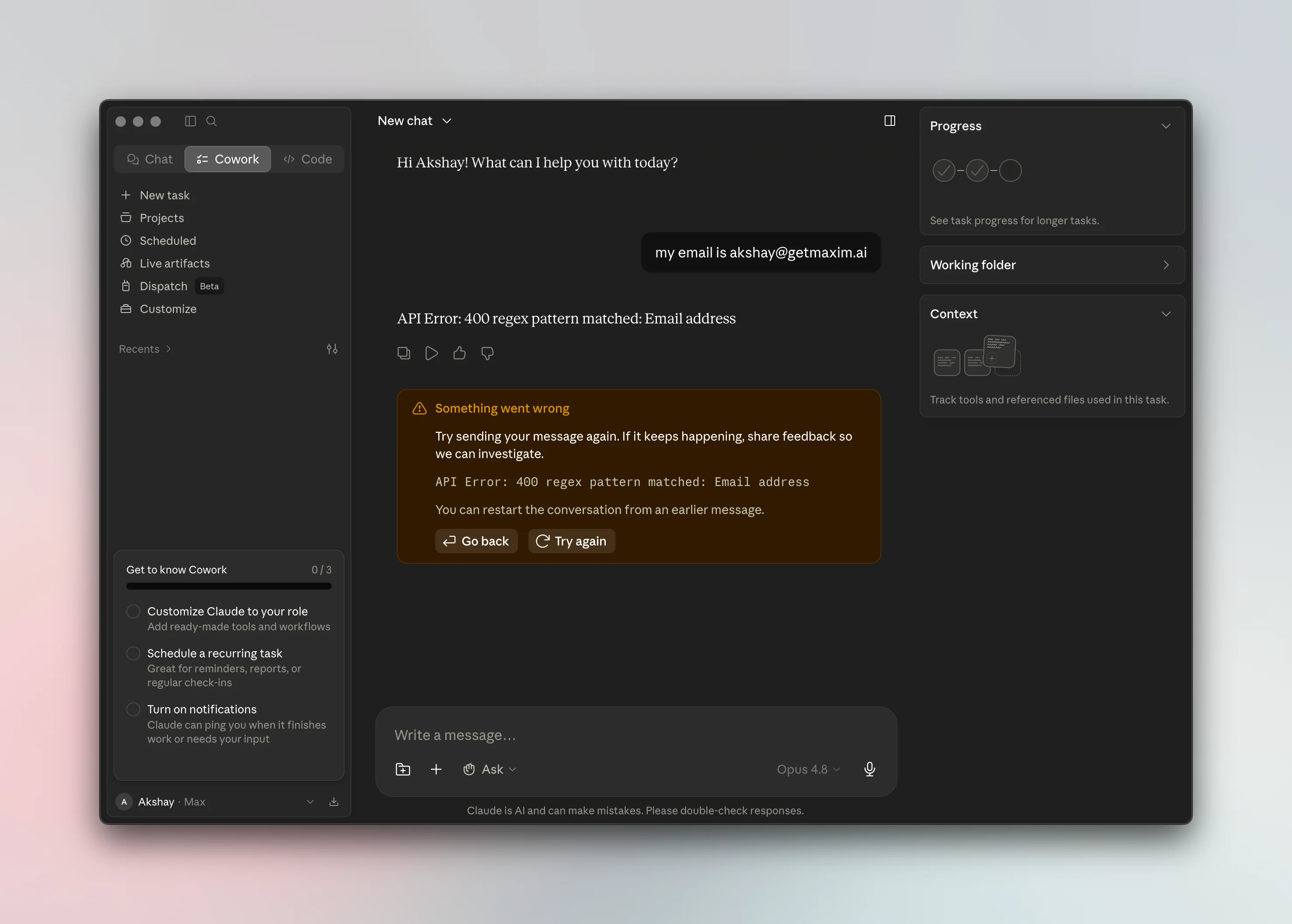
AI activity in CoWork is governed by the same rules and profiles, keeping protection consistent across the tools your teams use day to day.
### Claude Cowork
AI activity in CoWork is governed by the same rules and profiles, keeping protection consistent across the tools your teams use day to day.
 ***
## Next steps
* Configure or review your rules in [Guardrails](/enterprise/guardrails).
* Control which apps and tools are allowed in [Govern AI apps](/edge/app-governance) and [Govern MCP servers](/edge/mcp-governance).
* Roll Edge out to your fleet in [Deploy with MDM](/edge/deployment-mdm).
***
## Next steps
* Configure or review your rules in [Guardrails](/enterprise/guardrails).
* Control which apps and tools are allowed in [Govern AI apps](/edge/app-governance) and [Govern MCP servers](/edge/mcp-governance).
* Roll Edge out to your fleet in [Deploy with MDM](/edge/deployment-mdm).