> ## Documentation Index
> Fetch the complete documentation index at: https://docs.getbifrost.ai/llms.txt
> Use this file to discover all available pages before exploring further.
# Opencode
> Use Opencode with Bifrost to access any AI provider through a terminal-based coding assistant with virtual keys and observability.
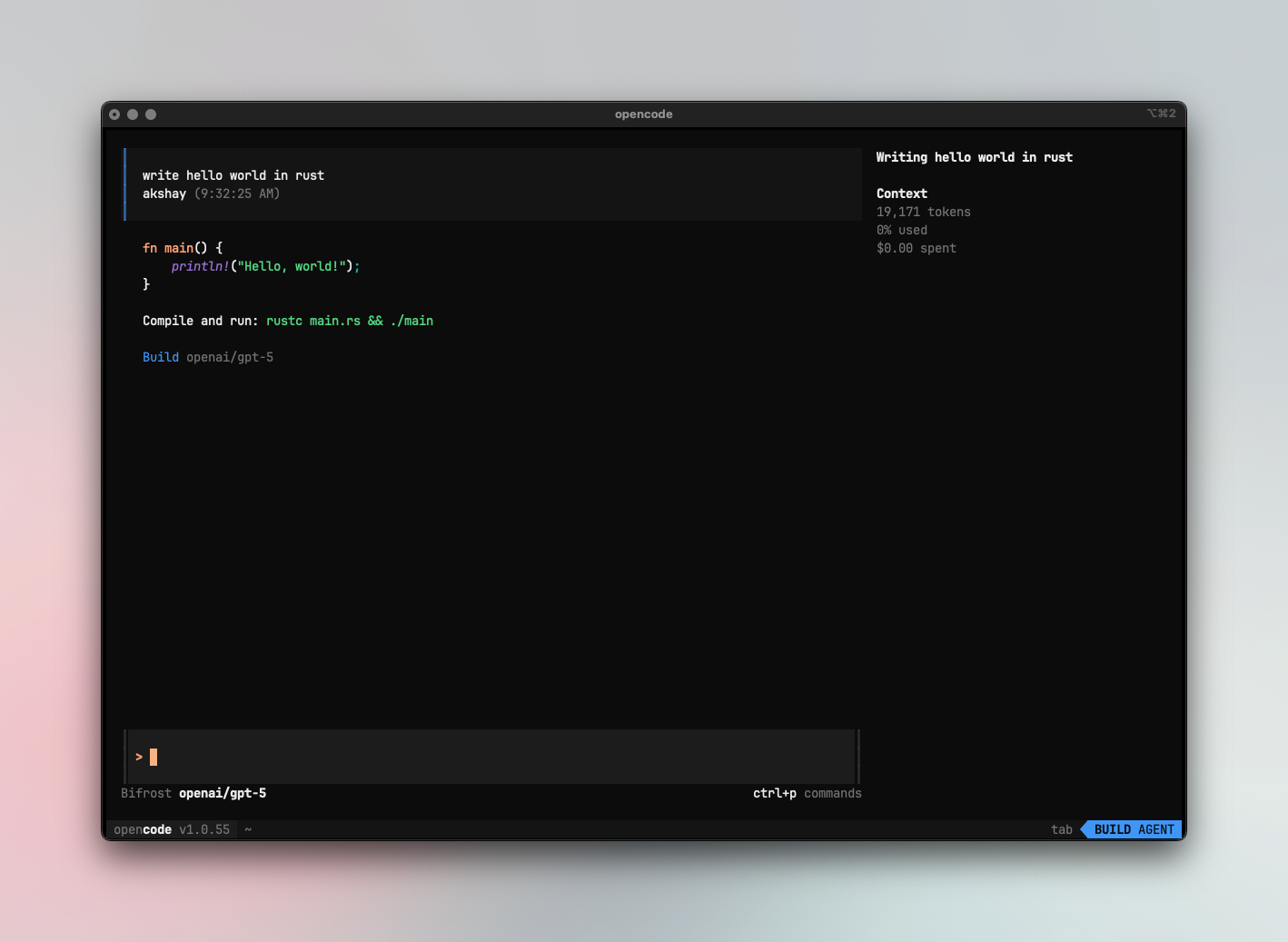
[Opencode](https://github.com/sst/opencode) is an AI-powered coding application that supports OpenAI-compatible APIs. By pointing it at Bifrost, you get access to any provider/model in your Bifrost configuration, plus governance features like virtual keys, built-in observability, and per-model options for reasoning effort, thinking budget, and more.
 If your Allowed Headers are already set to `*`, you can skip this note. If not and you face issues integrating Bifrost with OpenCode, try switching to `*` or adding the specific headers required by your client. By default, Bifrost whitelists: `Content-Type`, `Authorization`, `X-Requested-With`, `X-Stainless-Timeout`, and `X-Api-Key`.
## Setup
### 1. Configure OpenCode to work with Bifrost
OpenCode uses a JSON config file (`opencode.json`) to configure providers. Point your provider's `baseURL` to Bifrost.
### Using OpenAI-compatible endpoint
Route OpenAI and other providers through Bifrost's OpenAI endpoint:
```jsonc theme={null}
{
"$schema": "https://opencode.ai/config.json",
"provider": {
"openai": {
"name": "Bifrost",
"options": {
"baseURL": "http://localhost:8080/openai",
"apiKey": "your-bifrost-key"
},
"models": {
"openai/gpt-5": {},
"anthropic/claude-sonnet-4-5-20250929": {},
"gemini/gemini-2.5-pro": {}
}
}
},
"model": "openai/gpt-5"
}
```
### Using Anthropic endpoint
Route Anthropic models through Bifrost's Anthropic endpoint:
```jsonc theme={null}
{
"$schema": "https://opencode.ai/config.json",
"provider": {
"anthropic": {
"name": "Bifrost",
"options": {
"baseURL": "http://localhost:8080/anthropic/v1",
"apiKey": "your-bifrost-key"
},
"models": {
"anthropic/claude-sonnet-4-5-20250929": {}
}
}
},
"model": "anthropic/claude-sonnet-4-5-20250929"
}
```
You can also use the `/connect` command in the OpenCode TUI to configure credentials interactively, then update the `baseURL` in your config file.
## Virtual Keys
When Bifrost has [virtual key authentication](/features/governance/virtual-keys) enabled, set `apiKey` in your provider options to your virtual key:
```jsonc theme={null}
"options": {
"baseURL": "http://localhost:8080/openai",
"apiKey": "bf-your-virtual-key-here"
}
```
This lets you enforce usage limits, budgets, and access control per user or environment. For team deployments, create a separate virtual key for each team - each key can have its own rate limits, budgets, and provider access rules configured in the Bifrost dashboard.
## Model Selection
Set your default models in `opencode.json`:
```jsonc theme={null}
{
"model": "openai/gpt-5",
"small_model": "anthropic/claude-haiku-4-5"
}
```
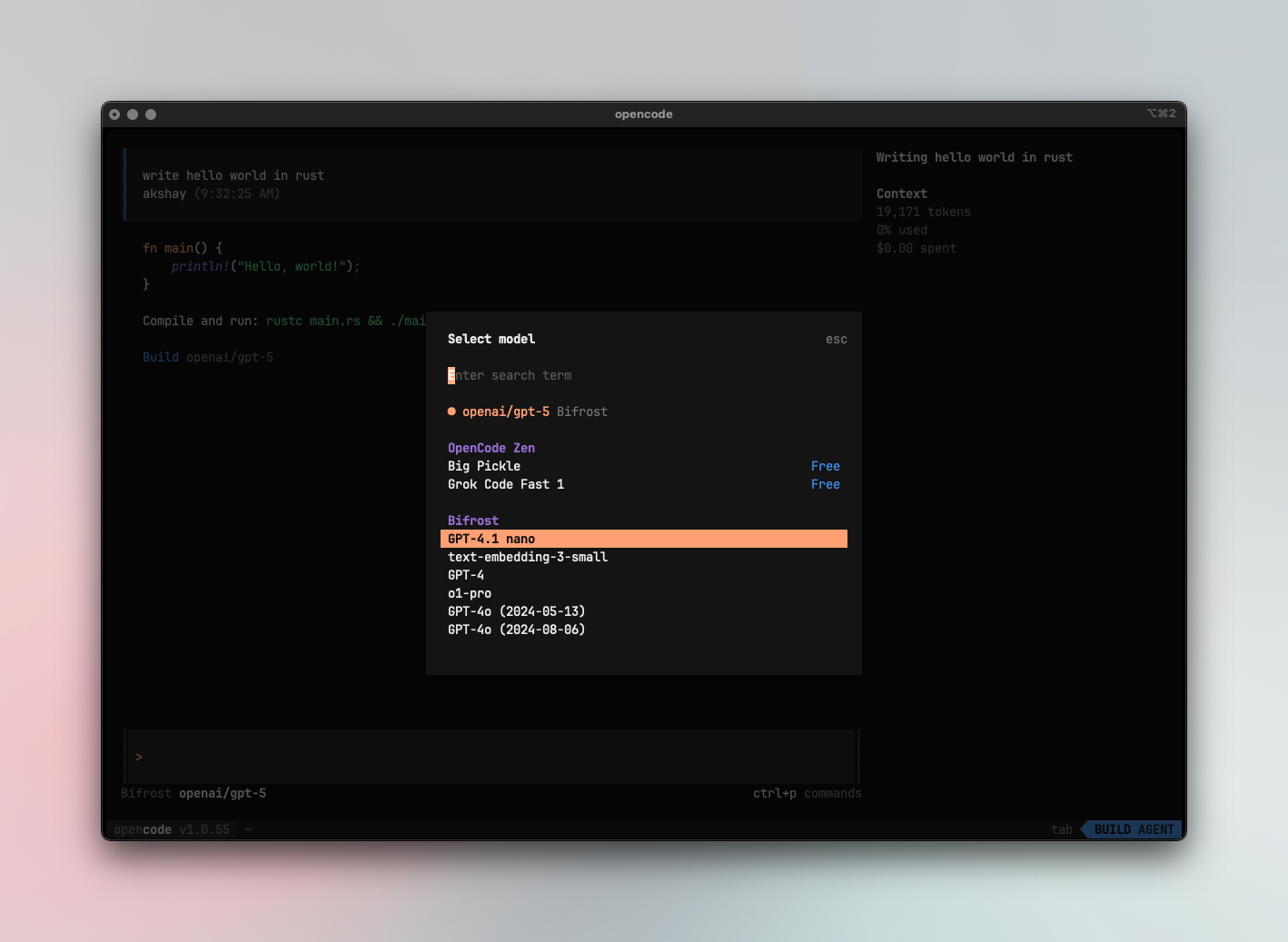
Switch models in the TUI with ctrl+p
If your Allowed Headers are already set to `*`, you can skip this note. If not and you face issues integrating Bifrost with OpenCode, try switching to `*` or adding the specific headers required by your client. By default, Bifrost whitelists: `Content-Type`, `Authorization`, `X-Requested-With`, `X-Stainless-Timeout`, and `X-Api-Key`.
## Setup
### 1. Configure OpenCode to work with Bifrost
OpenCode uses a JSON config file (`opencode.json`) to configure providers. Point your provider's `baseURL` to Bifrost.
### Using OpenAI-compatible endpoint
Route OpenAI and other providers through Bifrost's OpenAI endpoint:
```jsonc theme={null}
{
"$schema": "https://opencode.ai/config.json",
"provider": {
"openai": {
"name": "Bifrost",
"options": {
"baseURL": "http://localhost:8080/openai",
"apiKey": "your-bifrost-key"
},
"models": {
"openai/gpt-5": {},
"anthropic/claude-sonnet-4-5-20250929": {},
"gemini/gemini-2.5-pro": {}
}
}
},
"model": "openai/gpt-5"
}
```
### Using Anthropic endpoint
Route Anthropic models through Bifrost's Anthropic endpoint:
```jsonc theme={null}
{
"$schema": "https://opencode.ai/config.json",
"provider": {
"anthropic": {
"name": "Bifrost",
"options": {
"baseURL": "http://localhost:8080/anthropic/v1",
"apiKey": "your-bifrost-key"
},
"models": {
"anthropic/claude-sonnet-4-5-20250929": {}
}
}
},
"model": "anthropic/claude-sonnet-4-5-20250929"
}
```
You can also use the `/connect` command in the OpenCode TUI to configure credentials interactively, then update the `baseURL` in your config file.
## Virtual Keys
When Bifrost has [virtual key authentication](/features/governance/virtual-keys) enabled, set `apiKey` in your provider options to your virtual key:
```jsonc theme={null}
"options": {
"baseURL": "http://localhost:8080/openai",
"apiKey": "bf-your-virtual-key-here"
}
```
This lets you enforce usage limits, budgets, and access control per user or environment. For team deployments, create a separate virtual key for each team - each key can have its own rate limits, budgets, and provider access rules configured in the Bifrost dashboard.
## Model Selection
Set your default models in `opencode.json`:
```jsonc theme={null}
{
"model": "openai/gpt-5",
"small_model": "anthropic/claude-haiku-4-5"
}
```
Switch models in the TUI with ctrl+p
 * Use powerful models like `openai/gpt-5` or `anthropic/claude-sonnet-4-5-20250929` for complex coding tasks
* Use fast models like `groq/llama-3.3-70b-versatile` for quick completions
* Set `small_model` to a lighter model for faster, lower-cost operations
## Using Multiple Providers
Bifrost routes requests to the correct provider based on the model name. Use the `provider/model-name` format to access any configured provider through the single OpenAI endpoint:
```
anthropic/claude-sonnet-4-5-20250929
openai/gpt-5
gemini/gemini-2.5-pro
mistral/mistral-large-latest
```
You can configure models from different providers with per-model options:
```jsonc theme={null}
{
"$schema": "https://opencode.ai/config.json",
"theme": "opencode",
"autoupdate": true,
"provider": {
"openai": {
"name": "Bifrost",
"options": {
"baseURL": "http://localhost:8080/openai",
"apiKey": "your-bifrost-key"
},
"models": {
"openai/gpt-5": {
"options": {
"reasoningEffort": "high",
"textVerbosity": "low",
"reasoningSummary": "auto",
"include": [
"reasoning.encrypted_content"
]
}
},
"anthropic/claude-sonnet-4-5-20250929": {
"options": {
"thinking": {
"type": "enabled",
"budgetTokens": 16000
}
}
}
}
}
}
}
```
### Supported Providers
Bifrost supports the following providers with the `provider/model-name` format:
`openai`, `azure`, `gemini`, `vertex`, `bedrock`, `mistral`, `groq`, `cerebras`, `deepseek`, `cohere`, `perplexity`, `xai`, `ollama`, `openrouter`, `huggingface`, `nebius`, `parasail`, `replicate`, `vllm`, `sgl`
Non-native models **must support tool use** for OpenCode to work properly. OpenCode relies on tool calling for file operations, terminal commands, and code editing. Models without tool use support will fail on most operations.
OpenCode connects to Bifrost via a single endpoint. Bifrost handles routing to the correct provider based on the model name - no per-provider configuration needed.
## Observability
All OpenCode traffic through Bifrost is logged. Monitor it at `http://localhost:8080/logs` - filter by provider, model, or search through conversation content to track usage.
## Next Steps
* [Provider Configuration](/quickstart/gateway/provider-configuration) - Configure AI providers in Bifrost
* [Virtual Keys](/features/governance/virtual-keys) - Set up usage limits and access control
* Use powerful models like `openai/gpt-5` or `anthropic/claude-sonnet-4-5-20250929` for complex coding tasks
* Use fast models like `groq/llama-3.3-70b-versatile` for quick completions
* Set `small_model` to a lighter model for faster, lower-cost operations
## Using Multiple Providers
Bifrost routes requests to the correct provider based on the model name. Use the `provider/model-name` format to access any configured provider through the single OpenAI endpoint:
```
anthropic/claude-sonnet-4-5-20250929
openai/gpt-5
gemini/gemini-2.5-pro
mistral/mistral-large-latest
```
You can configure models from different providers with per-model options:
```jsonc theme={null}
{
"$schema": "https://opencode.ai/config.json",
"theme": "opencode",
"autoupdate": true,
"provider": {
"openai": {
"name": "Bifrost",
"options": {
"baseURL": "http://localhost:8080/openai",
"apiKey": "your-bifrost-key"
},
"models": {
"openai/gpt-5": {
"options": {
"reasoningEffort": "high",
"textVerbosity": "low",
"reasoningSummary": "auto",
"include": [
"reasoning.encrypted_content"
]
}
},
"anthropic/claude-sonnet-4-5-20250929": {
"options": {
"thinking": {
"type": "enabled",
"budgetTokens": 16000
}
}
}
}
}
}
}
```
### Supported Providers
Bifrost supports the following providers with the `provider/model-name` format:
`openai`, `azure`, `gemini`, `vertex`, `bedrock`, `mistral`, `groq`, `cerebras`, `deepseek`, `cohere`, `perplexity`, `xai`, `ollama`, `openrouter`, `huggingface`, `nebius`, `parasail`, `replicate`, `vllm`, `sgl`
Non-native models **must support tool use** for OpenCode to work properly. OpenCode relies on tool calling for file operations, terminal commands, and code editing. Models without tool use support will fail on most operations.
OpenCode connects to Bifrost via a single endpoint. Bifrost handles routing to the correct provider based on the model name - no per-provider configuration needed.
## Observability
All OpenCode traffic through Bifrost is logged. Monitor it at `http://localhost:8080/logs` - filter by provider, model, or search through conversation content to track usage.
## Next Steps
* [Provider Configuration](/quickstart/gateway/provider-configuration) - Configure AI providers in Bifrost
* [Virtual Keys](/features/governance/virtual-keys) - Set up usage limits and access control